
The Content tab controls which content is displayed in your widget. This applies to both Carousel and Inline Player widgets, as well as to Custom and Dynamic widgets. For Dynamic widgets, only content relevant to the page will be shown. You can also pin content in your widget—see the Pinned Content article.
Content Types
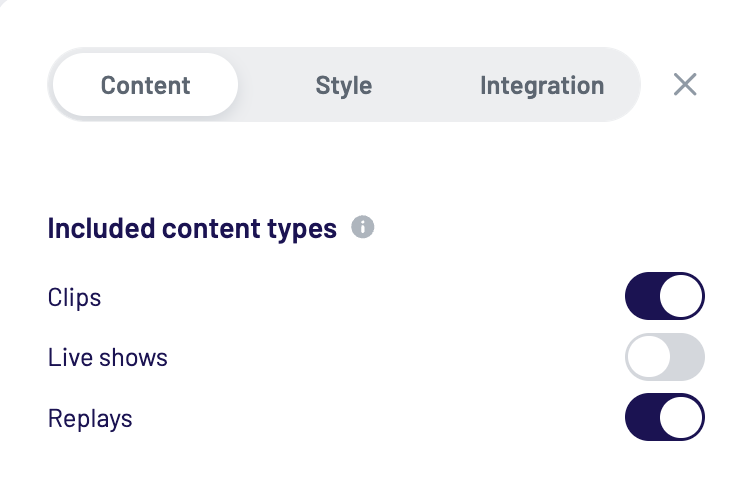
First, select which content types should be included in the filtered content:
-
Clips
-
Live shows
-
Replays
This setting does not affect pinned content.
Creator Filter
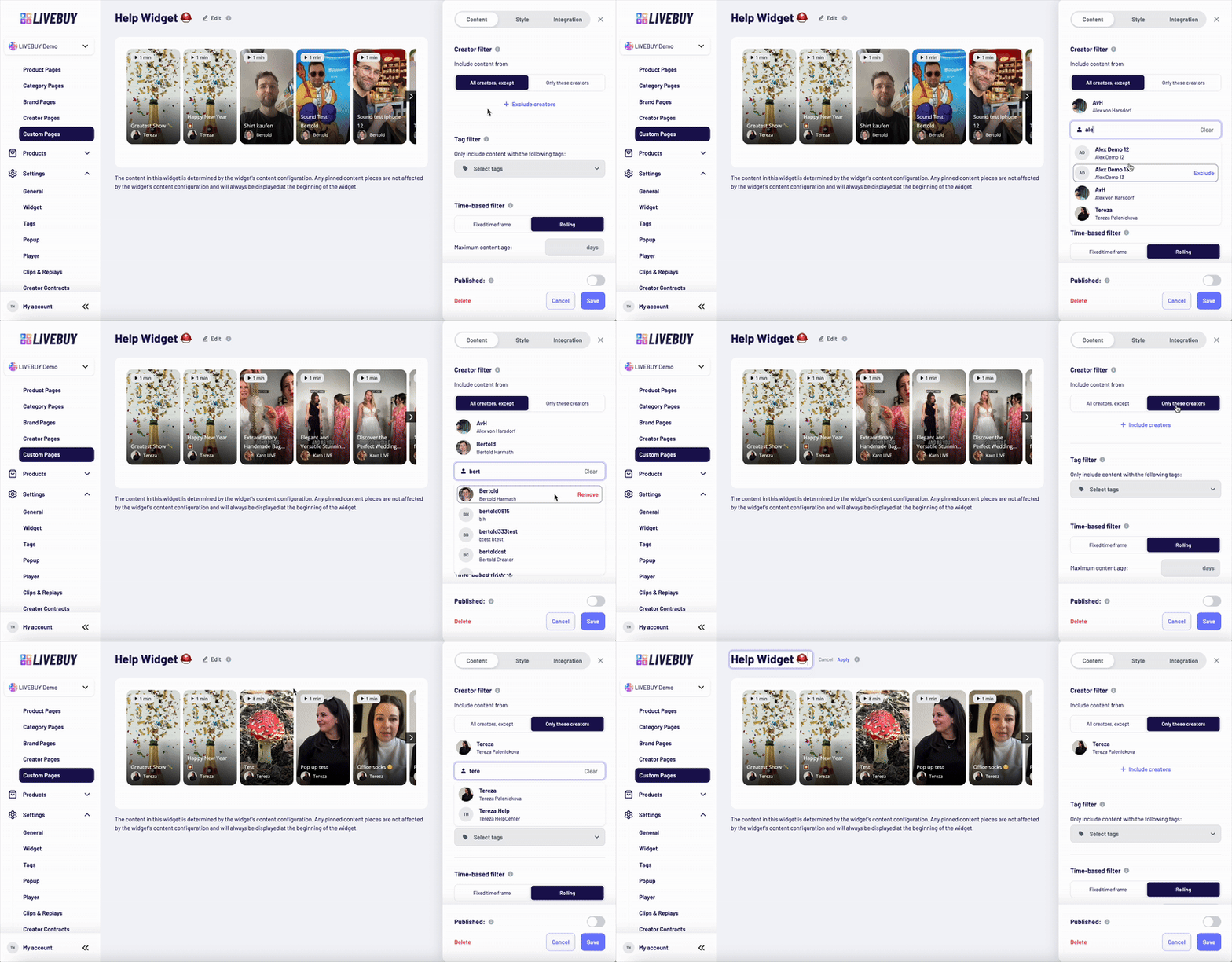
Define which creators’ content should appear in the widget.
You can choose between two options:
All creators, except
-
Exclude specific creators
-
Click Exclude creators to open the dropdown
-
Search for creators by name and add them to the excluded list
-
Leave the list empty to include all creators
Only these creators
-
Include content from specific creators only
-
Click Include creators and select the desired creators
In both options, creators can be removed by hovering over their name and clicking Remove.
This setting does not affect pinned content.
Tag Filter
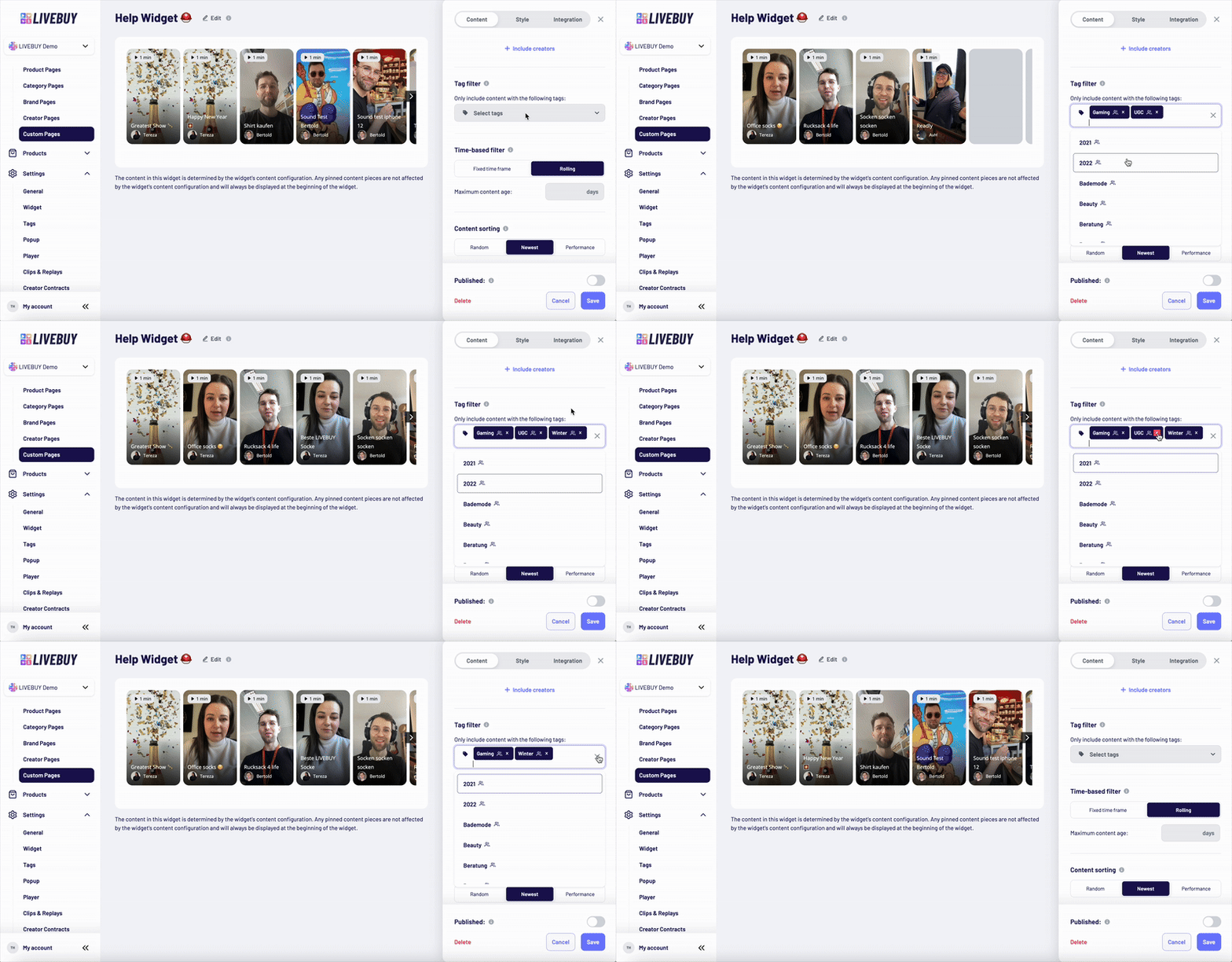
Filter content by tags. Only content with the selected tags will be included.
-
Open the dropdown to see all available tags
-
Use the search bar to find tags faster
-
Click on a tag to add it
To remove tags:
-
Remove individual tags by clicking the × on the tag
-
Remove all tags at once by clicking the × on the right side of the tag line and confirming the popup
This setting does not affect pinned content.
Time-Based Filter
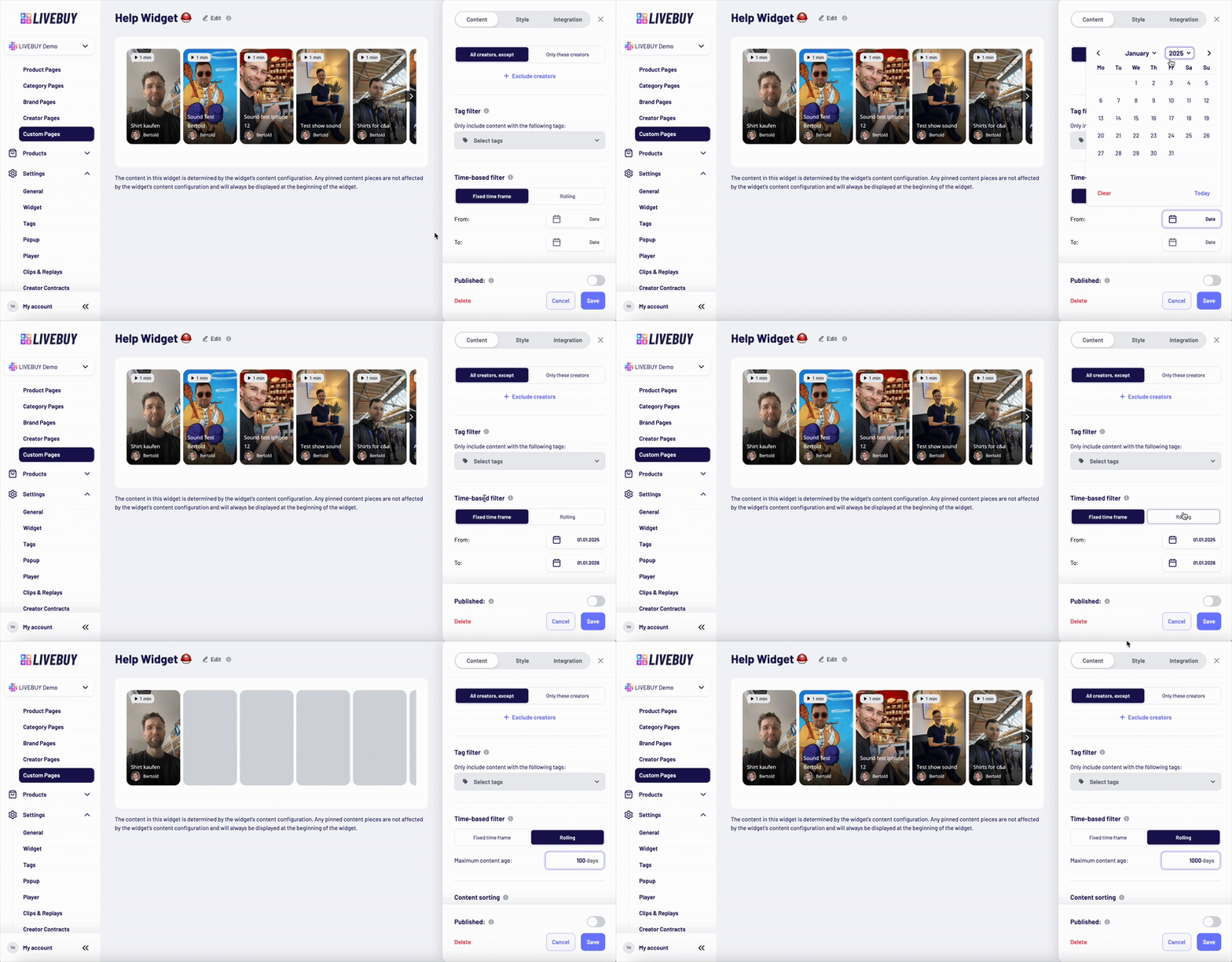
Define the time range for included content.
Fixed time frame
-
Set a fixed start and/or end date
-
Only content created within this timeframe is included
-
Start and end dates are optional
Rolling
-
Set a maximum content age (e.g. last 30 days)
-
Only content newer than the selected range is included
This setting does not affect pinned content.
Sorting
Define how the filtered content is sorted within the widget:
-
Random
Content is randomly ordered for each user to increase exposure to different content -
Newest
Content is sorted by newest first -
Performance
Content is ranked by performance score, based on views, watch time, likes, add-to-carts, and other engagement signals
Sorting applies only to filtered content.
Pinned content is always displayed at the beginning of the widget.
Sorting updates only after saving the widget.
If you have any questions, our Support team is happy to help. → support@livebuy.io