
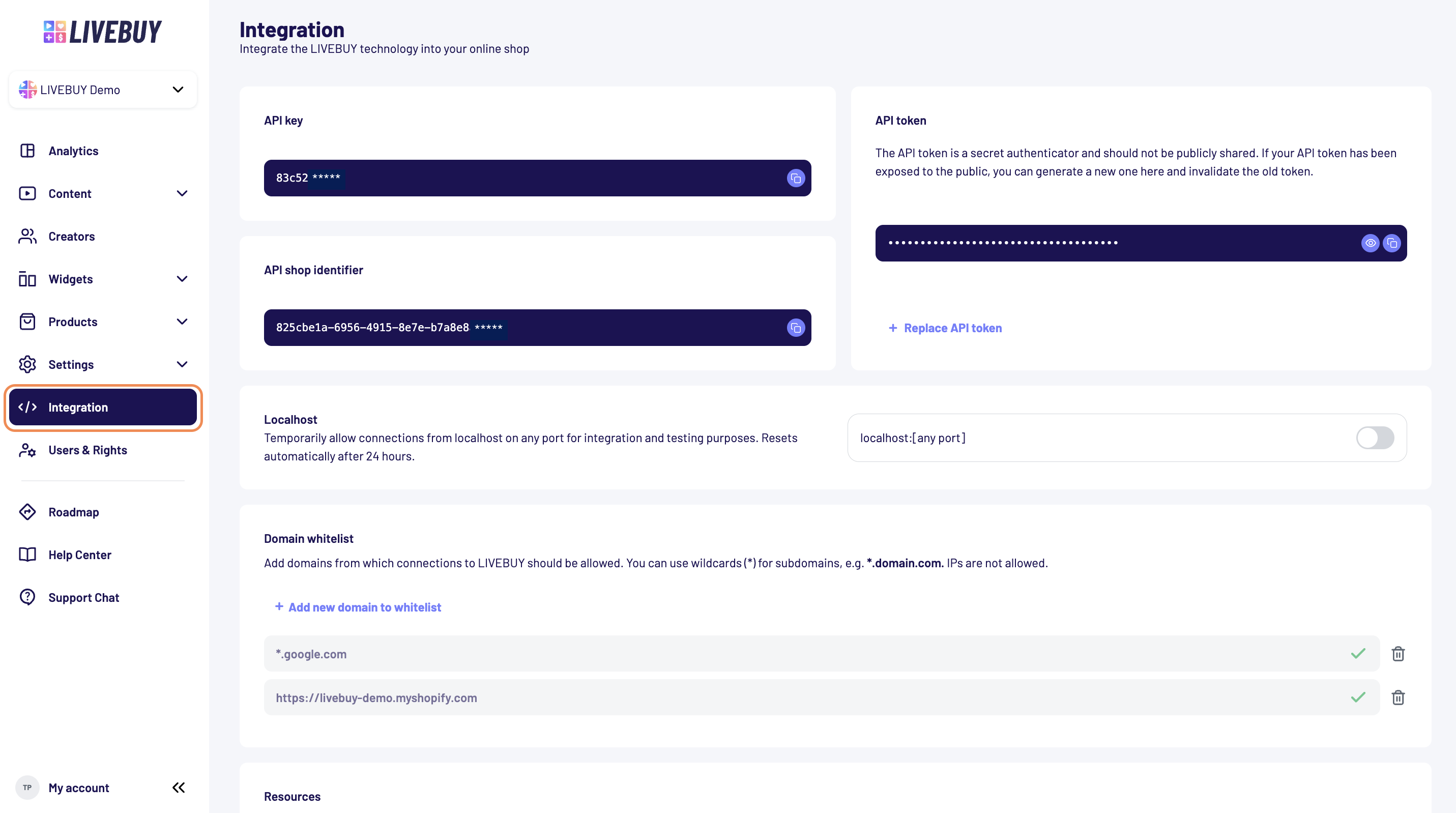
The Integration tab allows you to connect LIVEBUY’s technology with your online shop. You can find it in the left navigation bar of your dashboard. Within this section, you can find your API credentials, manage domain access, and temporarily enable localhost connections for testing.
API
In the API section, you can find all credentials required for a custom API setup:
-
API Key
-
API Shop Identifier
-
API Token
These values are needed when configuring your own integration or backend connection.
For detailed instructions, please refer to our API Documentation
The API token is a secret authenticator and should not be publicly shared. If your API token has been exposed to the public, you can generate a new one and invalidate the old token.
Localhost Access
The LOCALHOST option allows you to temporarily enable connections from your local development environment.
This is useful for integration, testing, or debugging.
-
Allows requests from localhost on any port
-
Automatically resets after 24 hours
-
Does not affect your live production environment
Domain Whitelist
Use the DOMAIN WHITELIST to specify which domains are allowed to communicate with LIVEBUY.
-
Add the domains from which requests should be accepted
-
Wildcards (*) can be used for subdomains (e.g.,
*.domain.com) -
IP addresses are not allowed
A checkmark confirms that a domain is valid and can be added, while an exclamation mark indicates an invalid entry.
If you no longer need a domain, you can remove it at any time by clicking the trash can icon.
To display LIVEBUY content, the domain must be whitelisted. Don’t forget to include the LIVEBUY SDK on the relevant pages.
Need help setting this up? Just contact our Support team → support@livebuy.io