
Switch between all your active shops!
Use Case
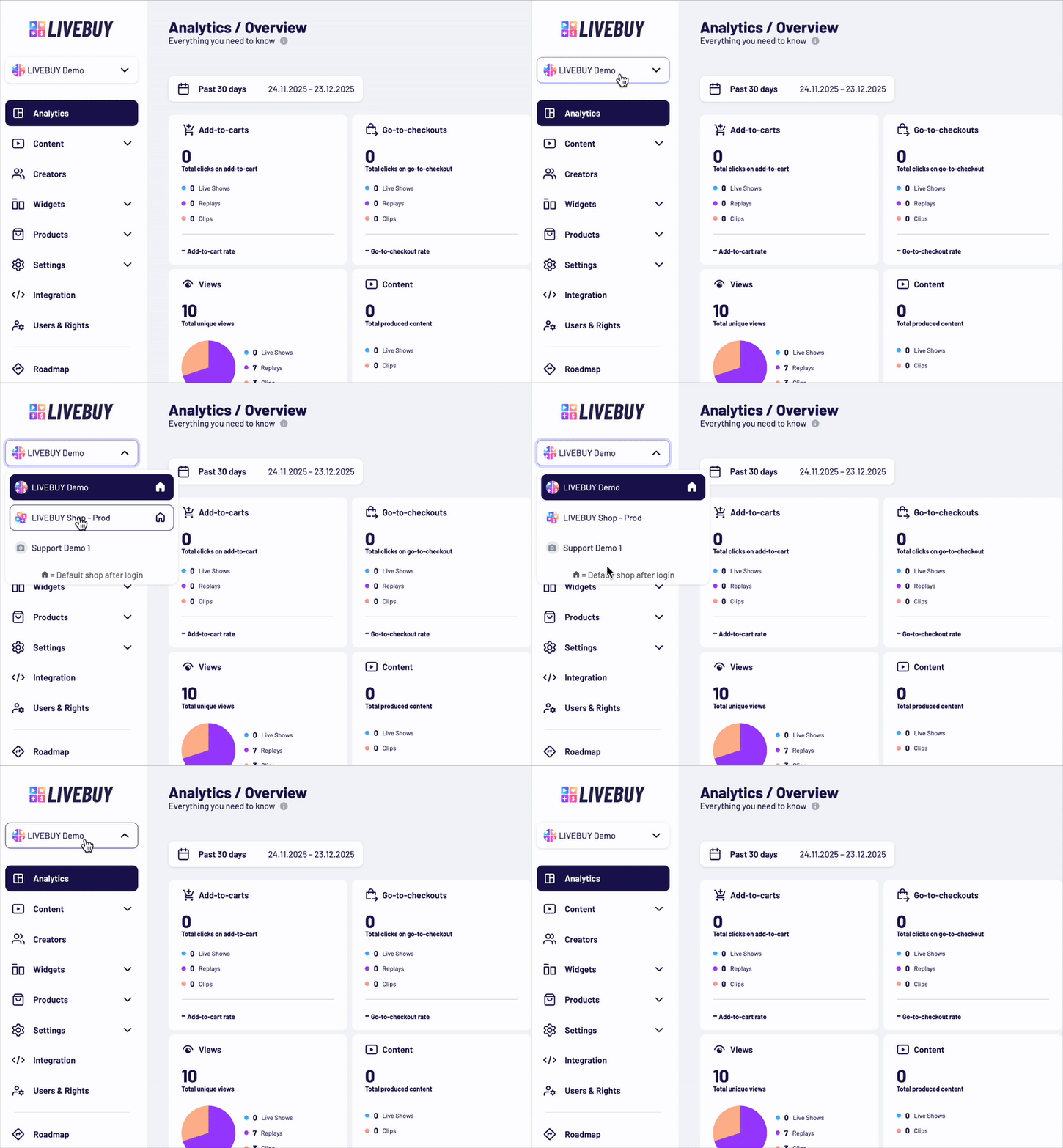
For users operating two or more online shops, switching between shops in the Dashboard helps improve how to manage different video shopping experiences.
Switch between your active stores by clicking on the drop-down menu next to your store's logo.
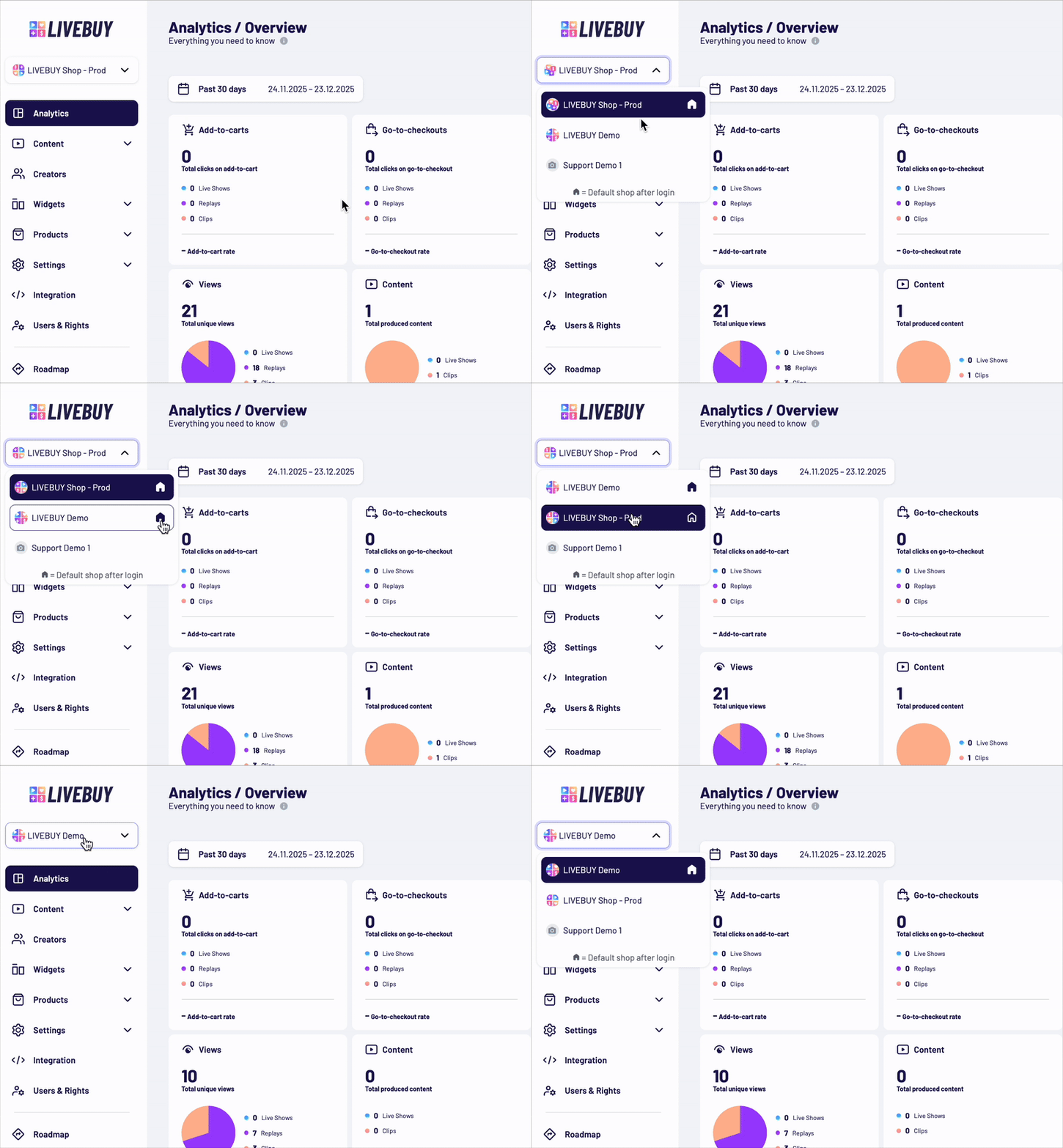
Select your Main Shop
Select the shop you first want to load when you log in, highlight the star icon next to the shop name.
Note: If you manage two or more shops and want to enable this feature for your shops, please contact us.