
The Analytics Overview provides a top-level KPI dashboard with the most important data you need to run, analyze, and scale your video shopping platform. It gives you quick insights into performance across live shows, replays, and clips—all in one place.
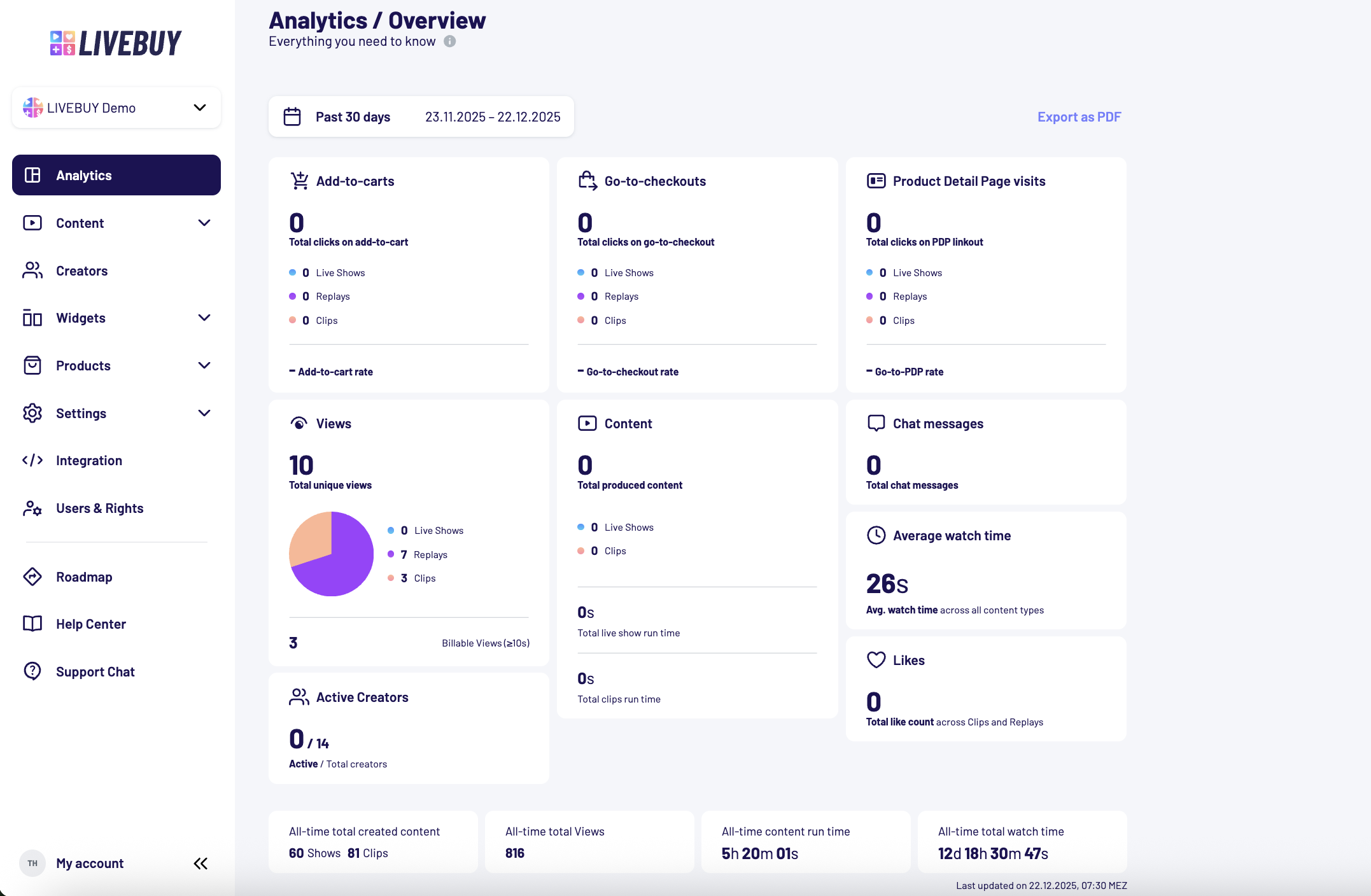
Timeframe Selection
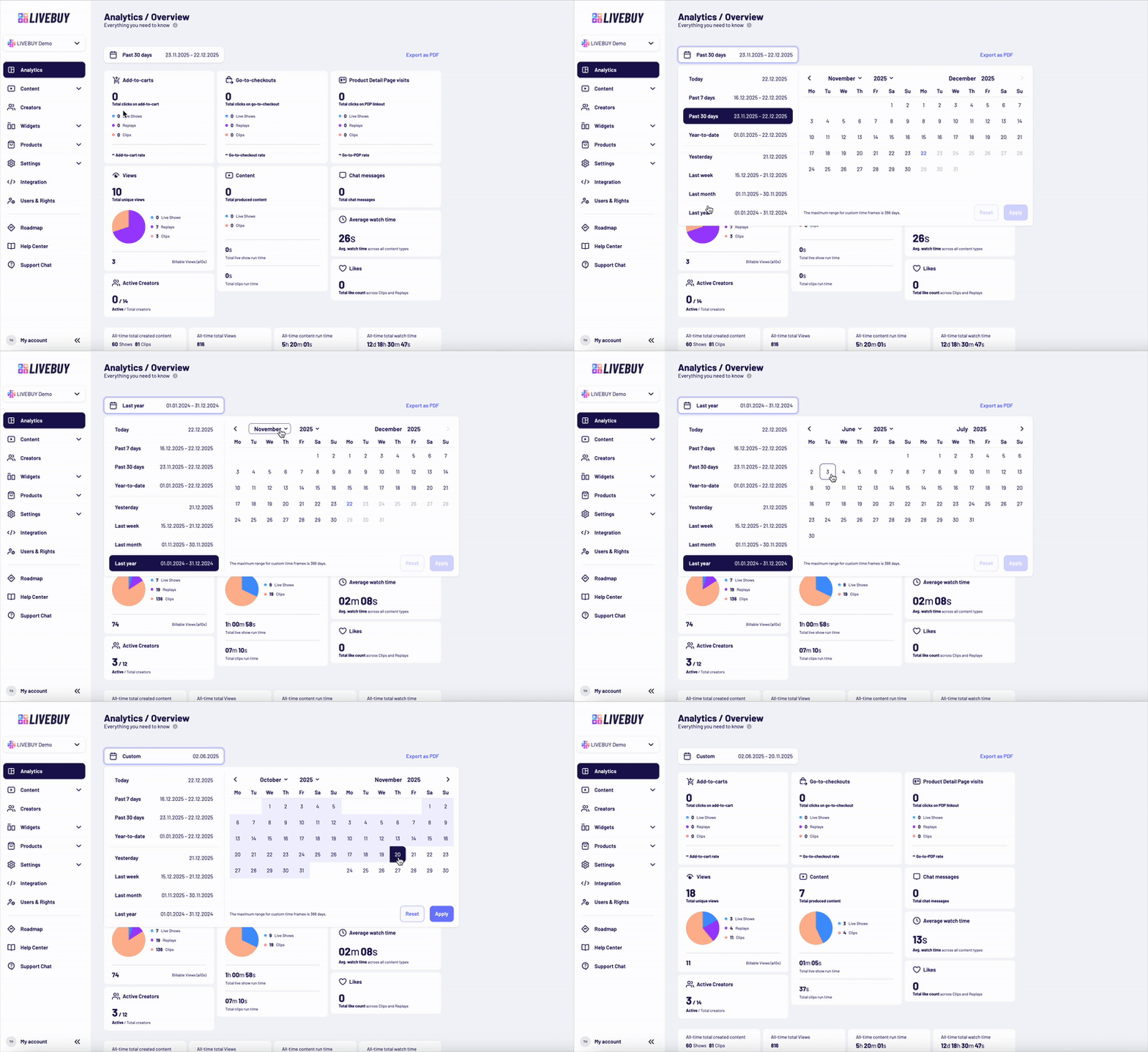
You can customize the timeframe for your analytics in two ways:
Custom Timeframe
-
Use the visual calendar to select a custom date range
-
The maximum range for a custom timeframe is 366 days
Preset Timeframes
You can also choose from the following predefined options:
-
Today
-
Yesterday
-
Past 7 days
-
Past 30 days
-
Year-to-date (from the beginning of the year until today)
-
Last week
-
Last month
-
Last year
KPIs Included in the Overview
The following key performance indicators (KPIs) are available in the Analytics Overview:
Add-to-Carts
-
Clicks on “Add to cart” within the LIVEBUY player
-
Pie chart split by Live Shows, Replays, and Clips
-
Add-to-Cart Rate (%)
Go-to-Checkouts
-
Clicks on “Go to checkout” within the LIVEBUY player
-
Pie chart split by Live Shows, Replays, and Clips
-
Go-to-Checkout Rate (%)
Product Detail Page (PDP) Visits
-
Total clicks on PDP linkouts within the LIVEBUY player
-
Pie chart split by Live Shows, Replays, and Clips
-
Go-to-PDP Rate (%)
Views
-
Total unique views across all content types
-
Pie chart split by Live Shows, Replays, and Clips
-
Billable views (≥ 10 seconds)
Content
-
Total produced content - published & unpublished
-
Pie chart split by Live Shows and Clips
-
Total live show run time
-
Total clips run time
Chat Messages
-
Total number of chat messages in live shows
Average Watch Time
-
Average watch time across all content types
Likes
-
Total like count across Clips and Replays
Creators
-
Active creators vs. total creators
-
Total creators: Total number of creators that are associated with your shop and have any kind of content creation rights (clips or live shows) - This number might differs from the creators - all overview since there you can find the number of all creators that are associated with your shop which include the creators without content creation rights
-
Active creators: Number of creators which actually created content in the selected time frame out of total creators
-
Note: In some cases, the number of active creators may exceed the total number of creators. This can occur if your shop is part of a shop group and receives content from another shop, even though the creators are not directly associated with your shop. Each time a clip or live show from the other shop is published to your shop, the creator of that content is counted as an active creator for your shop.
All-Time KPIs
The following KPIs are shown regardless of the selected timeframe and always reflect totals from the beginning of your work with LIVEBUY:
-
All-time total created content
-
All-time total views
-
All-time content run time
-
All-time total watch time

Export Analytics as PDF
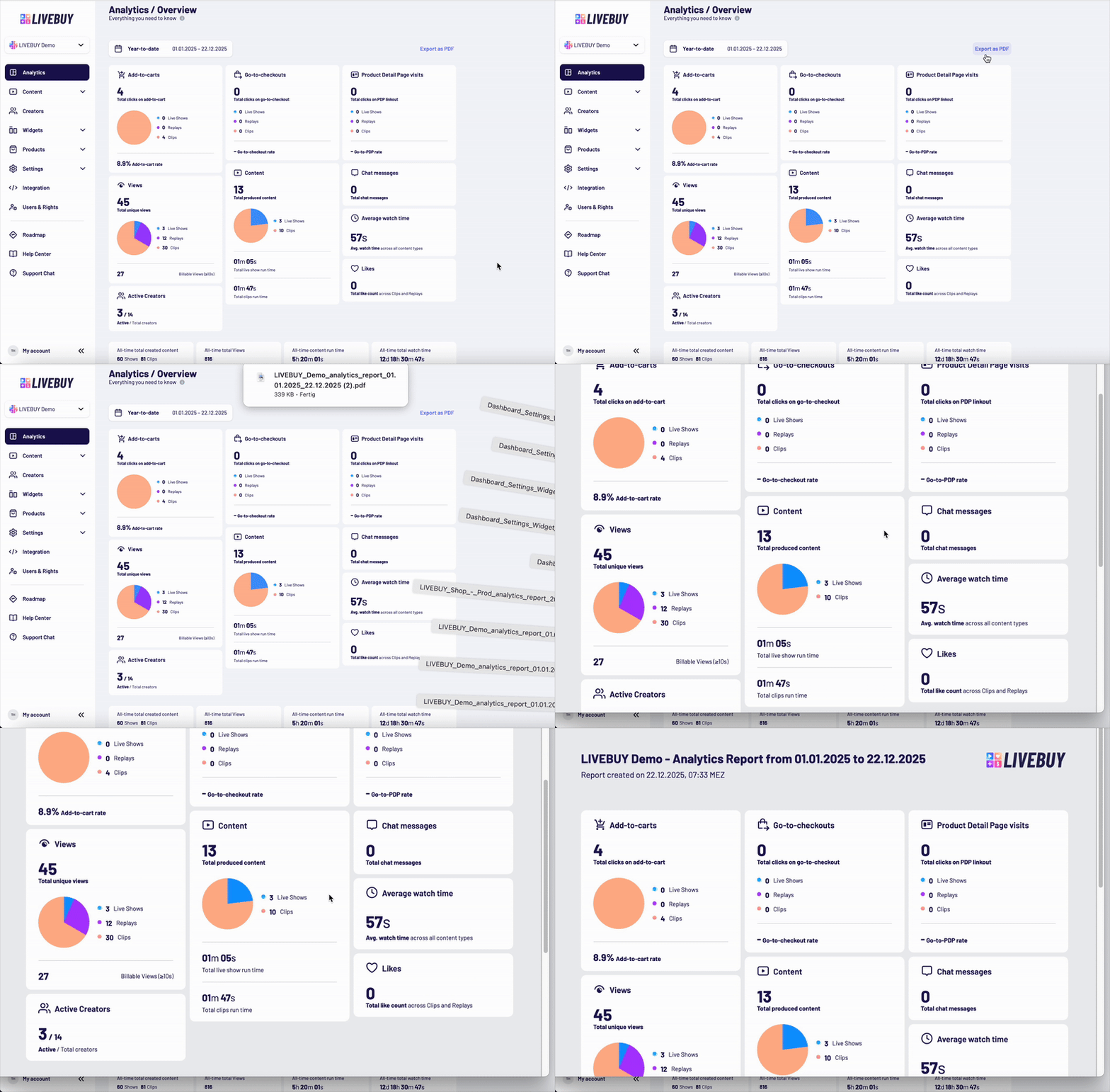
You can export the data displayed in the Analytics Overview at any time:
-
Click the “Export as PDF” button
-
A PDF file containing the current overview and selected timeframe will be generated for download
This makes it easy to share insights with stakeholders or archive reports.
Content Level Analytics Reports
For each produced clip or performed live show and its replay you can view a content level analytics section and download individual analytics reports as CSV files directly from the dashboard.
Detailed instructions on what reports, where to find and download these files are available in the Content Level Analytics article.
These reports provide deeper insights beyond the on-screen KPIs and are especially useful for performance analysis, reporting, and optimization.
If you have any questions about analytics or exporting data, please contact your Key Account Manager or support@livebuy.io.