
When you unpublish/deactivate a clip/show, it goes offline immediately. Whether and where you still see a preview image afterward depends on how the video is accessed.
How to unpublish content:
-
Go to the respective content details.
-
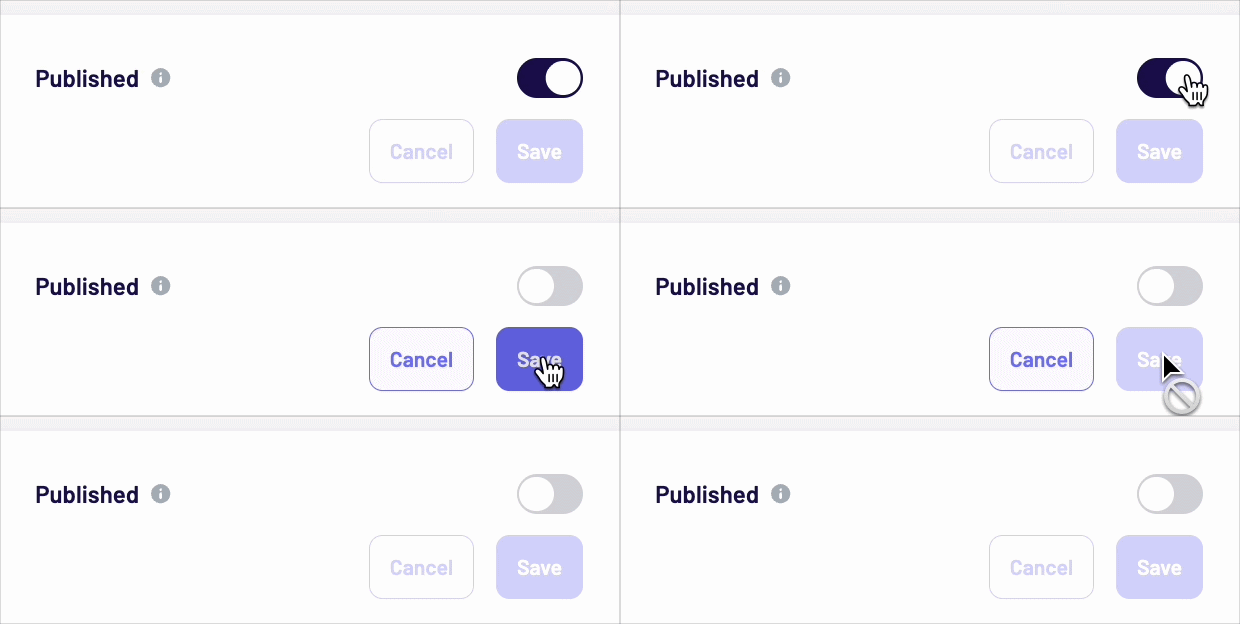
Switch the Publish toggle at the bottom.
-
Click Save.
What happens right after unpublishing?
-
The video becomes technically unplayable as soon as it's unpublished.
-
The thumbnail in the widget (the small preview image users click on to open the video player) disappears immediately.
-
If you briefly see an outdated preview image in your browser, it is usually caused by browser caching. The image is displayed but not playable. Performing a hard refresh (clearing the browser cache) should remove the outdated preview image.
Performing a hard refresh:
-
Windows/Linux:
Ctrl + F5orCtrl + Shift + R -
Mac:
Cmd + Shift + R
Special case: Direct links to unpublished videos
There are two different types of "preview images" — this is the most common source of confusion:
|
|
Widget thumbnail |
Player still frame (direct link) |
|---|---|---|
|
Where it's visible |
On the normal page view, where users click to open the video |
When the video player is opened directly via an autoplay link with a parameter |
|
Behavior after unpublishing |
Disappears immediately |
Remains visible — this is the standard display for a unpublished video |
|
What is shown |
Nothing but other content pieces / no widget at all if it was the only content piece within a widget |
The video's first frame as a placeholder |
Important: If a video is accessed via such a direct link, a still image currently remains visible even after unpublishing the content piece. The video itself can no longer be played, but the first frame continues to be shown as a placeholder.
These direct links are generally accessible from any page where the corresponding sdk is embedded — not just the page where the video originally appeared.
When does this matter?
This special case is particularly important when content needs to be removed completely and quickly for legal reasons (e.g. image/usage rights, data protection). In such cases, regular unpublishing may not be sufficient to remove the preview image accessed via direct links.
What to do for urgent (legal) matters
If unpublishing is required for legal or other time-critical reasons, and the remaining still image via a direct link is a problem:
-
Contact live support directly — urgent legal matters are handled with priority.
-
Please provide as much detail as possible:
-
The affected video/show name
-
The page where the video is embedded
-
If available: the specific direct-link parameter
-
The reason for urgency (e.g. legal matter)
-
Support can then check whether a workaround is possible or escalate the matter internally.