
In the Products tab of your clip or show panel, you can add products that will appear in the clip, live show and its replay.
Note: A clip can include a maximum of 10 products. If you’d like to adjust this limit (for example, to prevent creators from adding too many products), please contact our Support team.
Add Products via Search
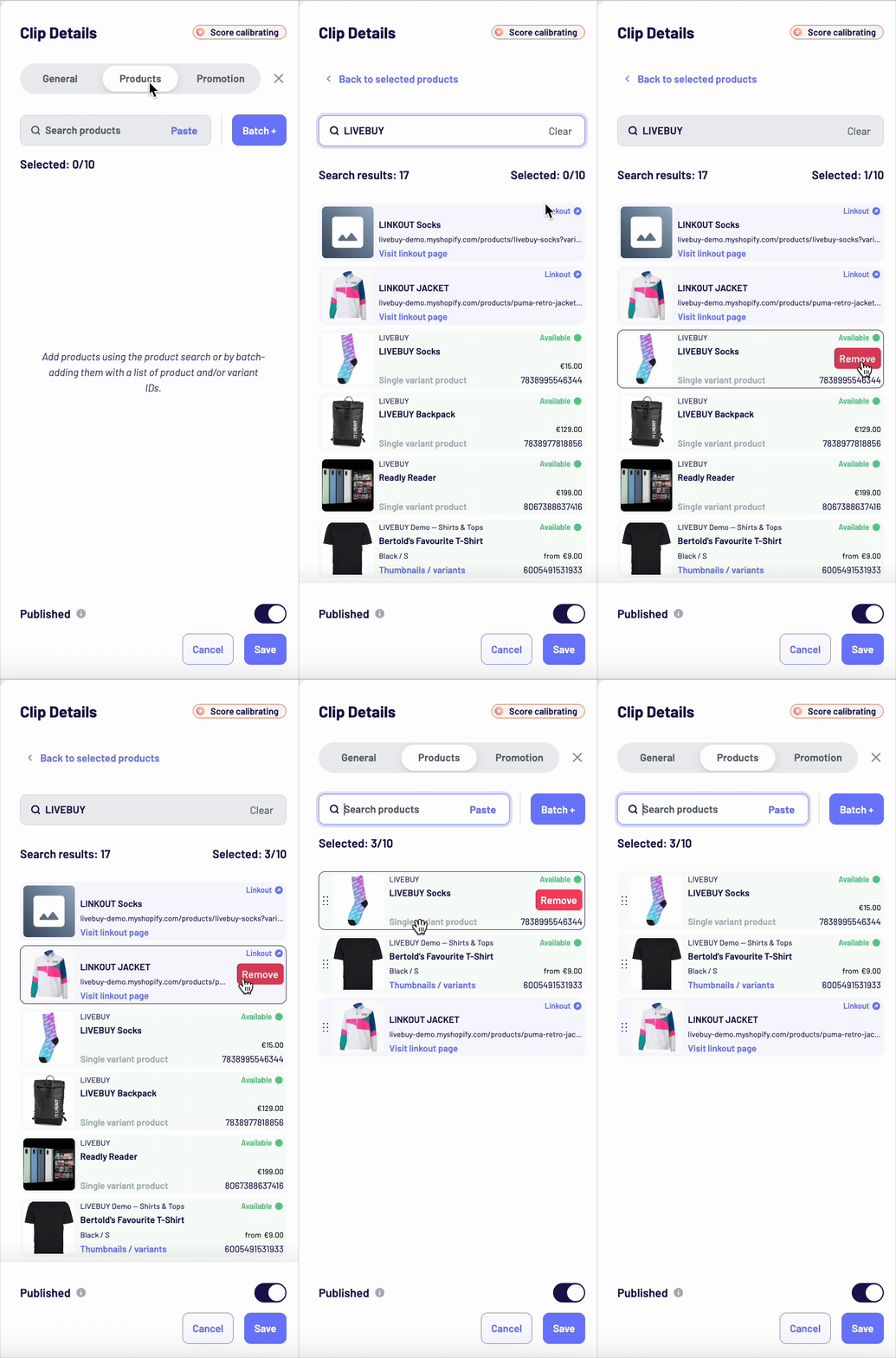
Use the product search bar to find products by:
-
Product title
-
Product ID
Search results include:
-
Catalogue products (green and with availability, price, and product ID)
-
Linkout products (blue and marked with a linkout icon, showing a product URL and a “Visit linkout page” button)
Hover over a product and click Select to add it to the show.
Batch Add Products
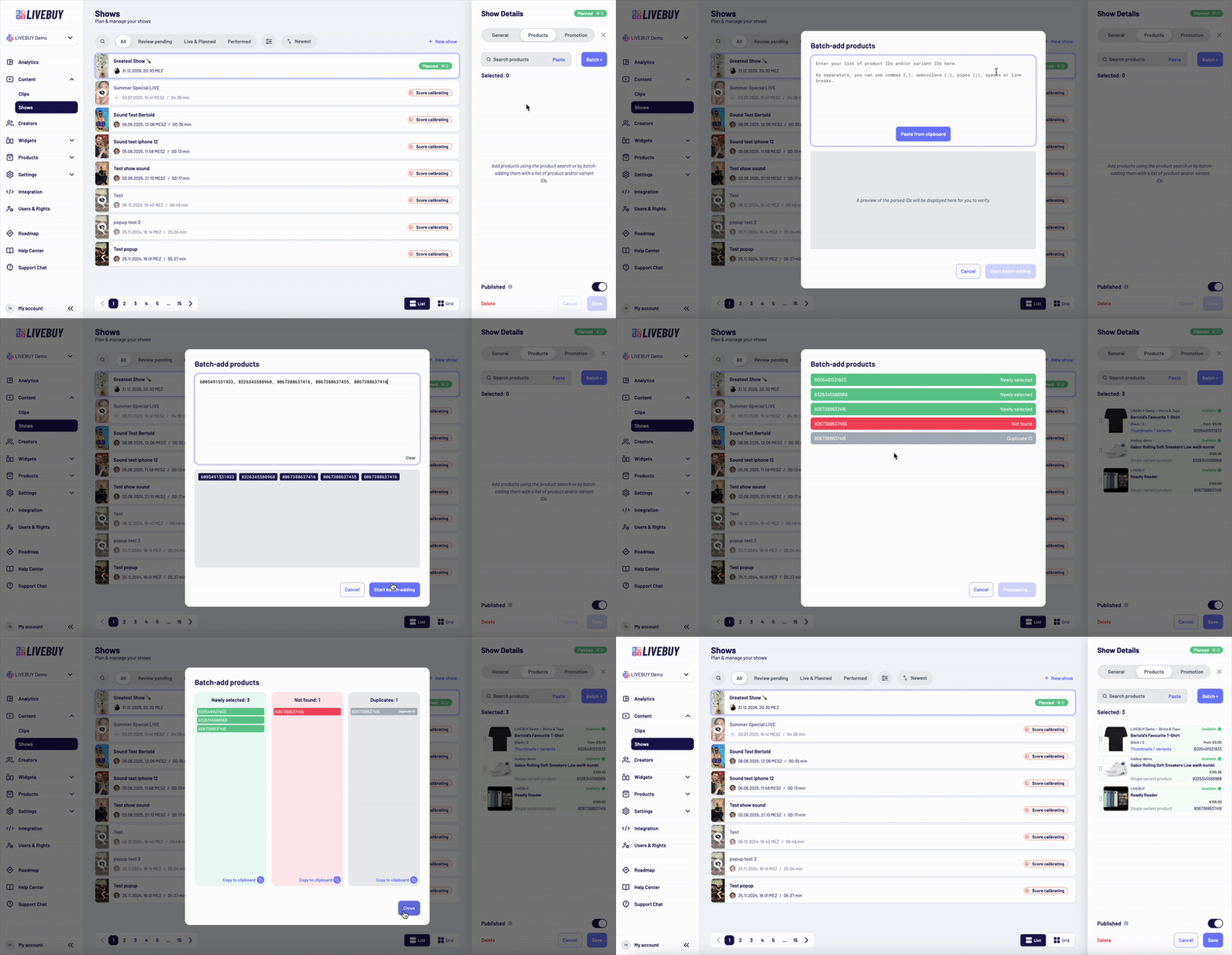
You can also batch-add products using a list of product IDs and/or variant IDs.
Supported separators:
-
Commas (,)
-
Semicolons (;)
-
Pipes (|)
-
Spaces
-
Line breaks
Click “Batch +”, paste your list, review the parsed IDs, and click “Start batch-adding”.
You’ll receive feedback showing:
-
Successfully added products
-
Products not found
-
Duplicate entries
All results can be copied to the clipboard for review.
Manage Added Products
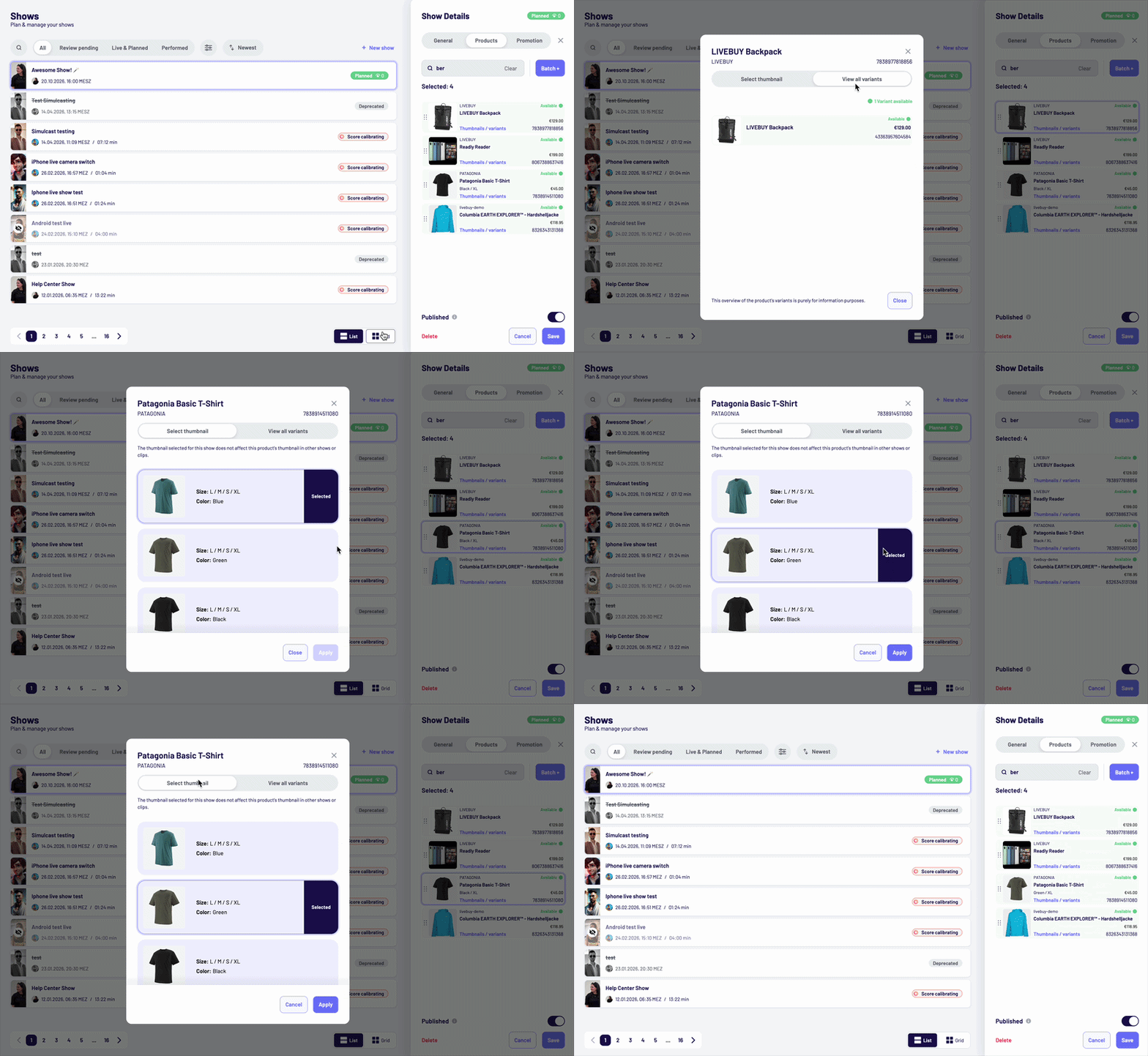
Once products are added, you can:
-
Remove products
-
Change thumbnails
-
View all variants (e.g. color options)
Click “Thumbnails / Variants” to open a pop-up, choose your preferred option, and click Apply.
For clips products can be adjusted at any time. For shows products can be adjusted before and during the live show. For the replay, the product selection is fixed.