
The Player Settings section allows you to configure the appearance and behavior of the shoppable video player in your shop. Here you can control which features are available to viewers, adjust tracking options, and customize the player’s visual appearance.
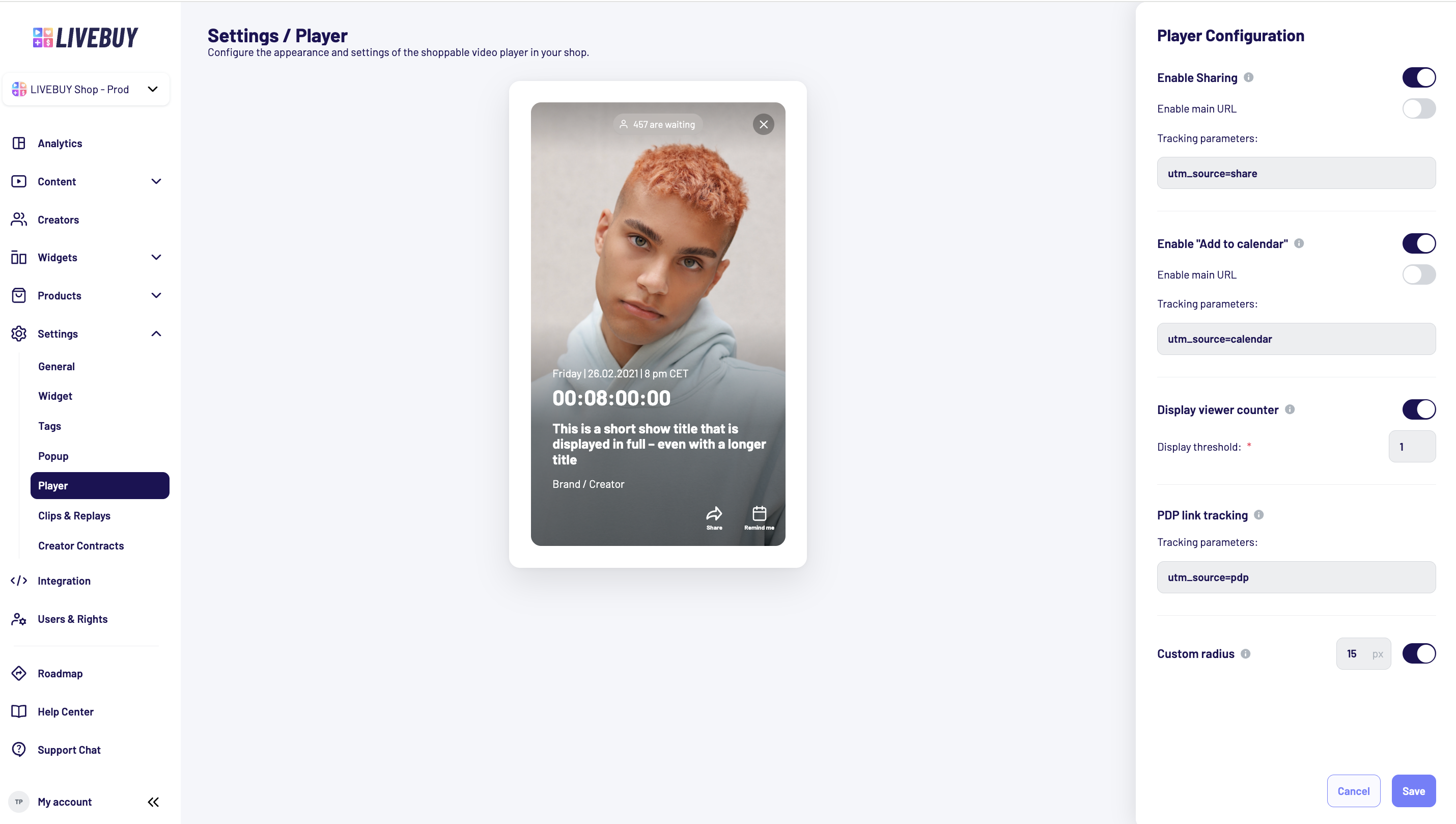
Sharing and Calendar Features in planned Shows
Enable Sharing
-
Allows viewers to share a live show directly from the LIVEBUY player
-
When enabled, a share icon is displayed in the player
Enable Main URL
-
Replaces the domain URL with a main URL when sharing
Tracking Parameters
-
You can add UTM parameters to shared links
-
UTM parameters help track the performance of webpages or campaigns
Enable “Add to Calendar”
-
Allows viewers to add an upcoming live show to their calendar
-
When enabled, a calendar icon is displayed in the player
Enable Main URL
-
Replaces the domain URL with a main URL for calendar links
Tracking Parameters
-
Add UTM parameters to track calendar link usage and campaign performance
Viewer Counter during Live Shows
Display Viewer Counter
-
Displays the number of current viewers during a live show
-
Enable or disable the viewer count display by the toggle
Display Threshold
-
Defines the minimum number of viewers required before the viewer counter becomes visible
-
Helps avoid displaying very low viewer numbers
PDP Link Tracking
PDP Link Tracking
-
Enables tracking of clicks on Product Detail Page (PDP) links inside the player
-
Applies when you switch from “Add to Cart” to “View Product”
Tracking Parameters
-
Add UTM parameters to track how many clicks are made on PDP links
-
Helps measure the performance of product interactions in the player
Player Appearance
Custom Radius
-
Allows you to customize the corner radius of the player in desktop view
-
Creates a rounded-corner appearance
Radius limit: 24 px
Preview and Saving Changes
-
Use the Preview to see:
-
Your configured settings
-
Any changes you make in real time
-
-
Make sure to save your changes before leaving the player configuration
If you have questions about player configuration or tracking setup, please contact support@livebuy.io