
The Like function allows viewers to express positive feedback on content and helps merchants and creators understand which content resonates most with their audience.
The Like button is available for Clips and Replays.
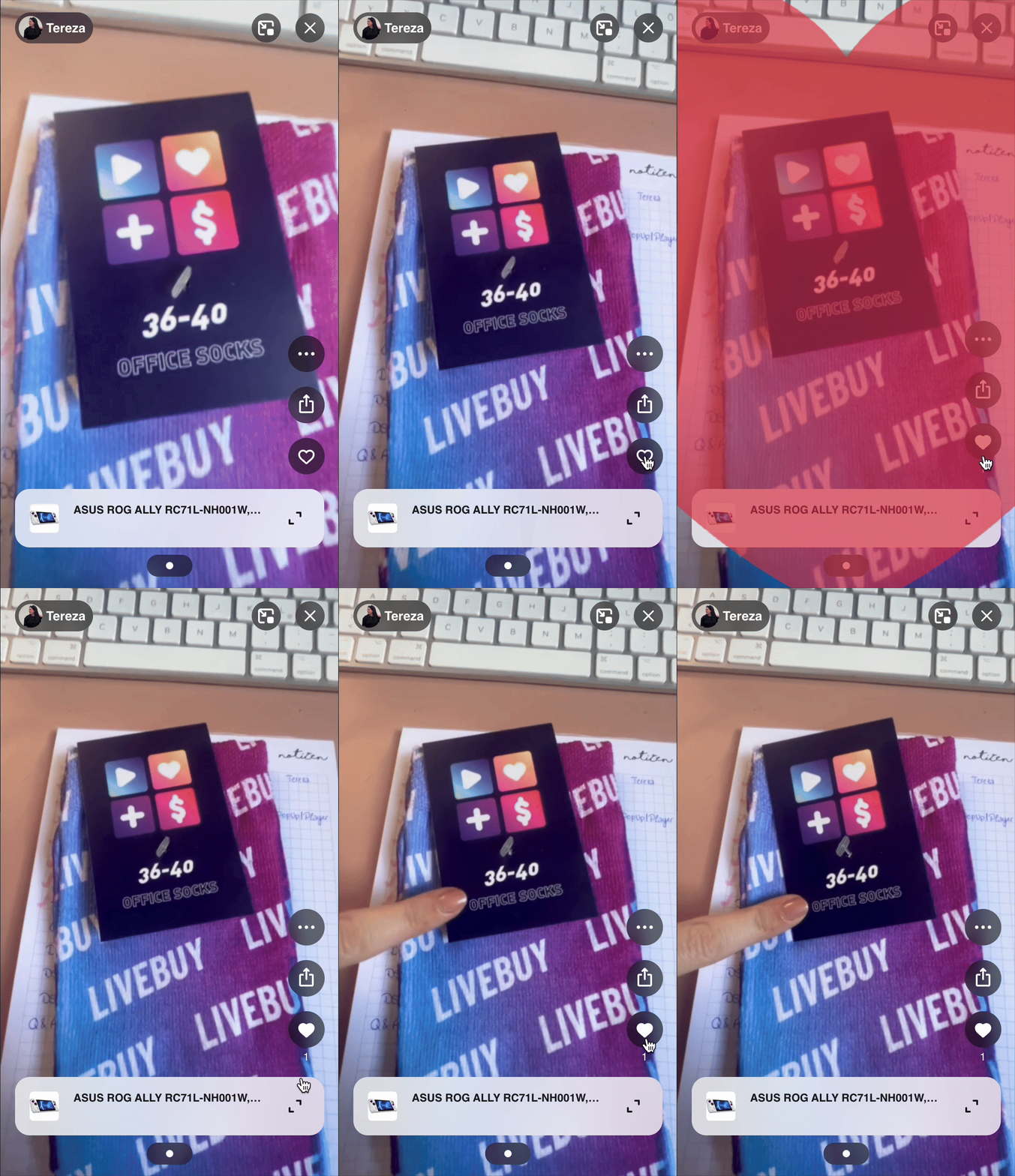
How the Like Button Works
The Like button appears as a heart icon on the right side of the LIVEBUY Player, positioned above the product section.
-
An outlined heart means you didn’t like the content yet.
-
A filled heart means you liked the content already.
Viewers can toggle the Like button by clicking or tapping on the heart icon or by double tapping on the screen in the “Home view”.
Viewing the Like Count
Below the Like button, the number of likes the content has received is displayed.
-
If a number is shown, it represents the total likes so far.
-
If no number is displayed, the content has not received any likes yet.
This helps viewers quickly identify popular or well-received content.
Viewer Perspective
As a viewer, the Like function allows you to:
-
Express positive feedback and appreciation for content
-
Show enjoyment of Clips and Replays
-
See how popular a piece of content is based on its Like count
Merchant Perspective
As a merchant, Likes provide valuable performance insights:
-
View the number of Likes for individual Clips and Replays in their Content Level Analytics
-
Access an overview of total Likes across Clips and Replays in the Analytics Overview
-
Use Like data to analyze content performance and audience engagement
Creator Perspective
As a creator, Likes help measure content success:
-
Like counts are visible in the individual content analytics within the Creator App
-
Use Like data to understand audience feedback and optimize future content
Summary
The LIVEBUY Player Like function enhances engagement by allowing viewers to interact with content, while providing creators and merchants with clear performance metrics for Clips and Replays.