
👕💄🎮 Batch add products to live shows and clips
You can now paste a list of product IDs into our new "Batch +" screen to add all those products to your content at the same time without searching for each product individually. You find the option to Batch add under Content > Clips or Shows > Products -> next to the search field.
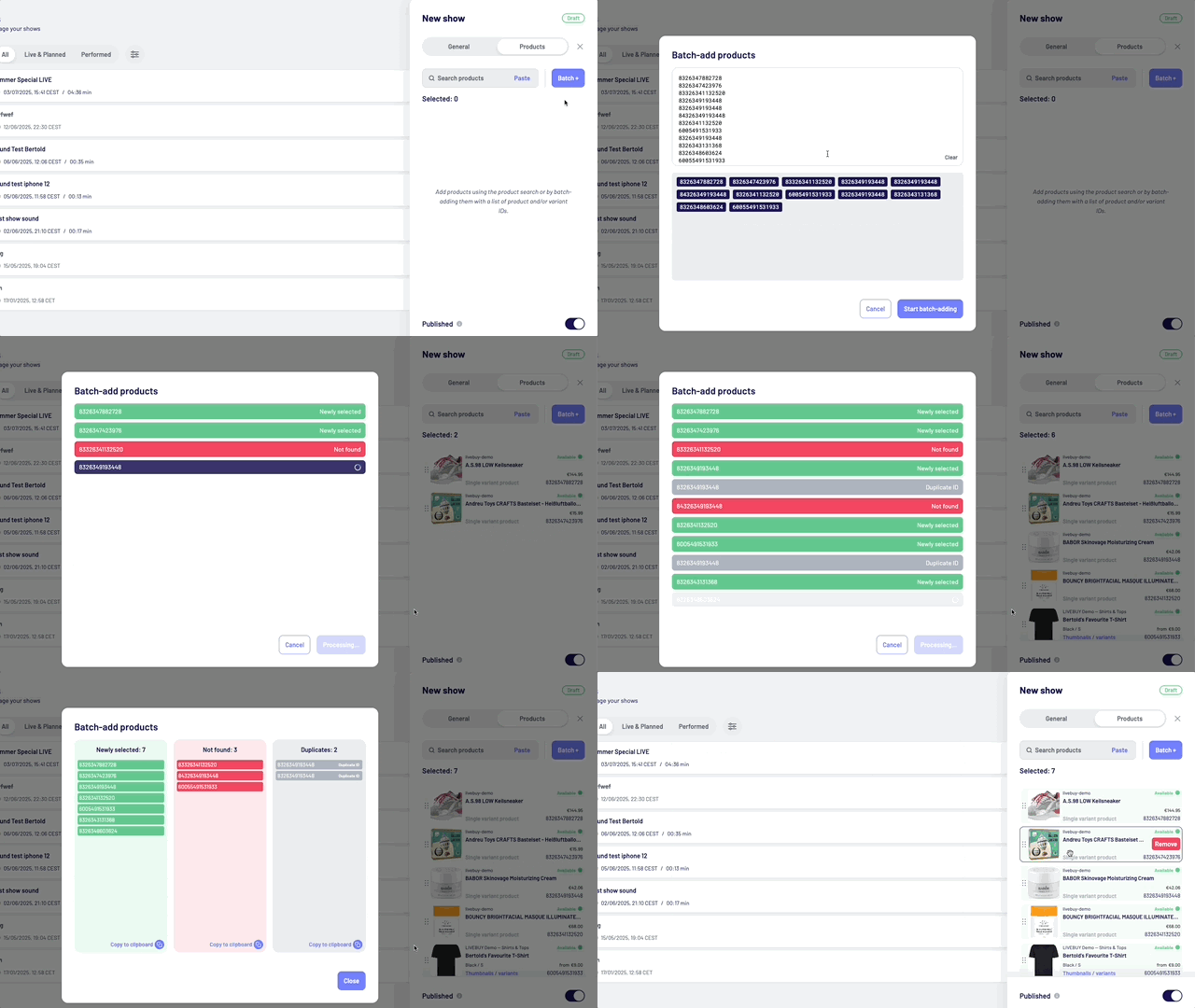
Learn more in Products Tab.
➕ Additional changes
Clips and Shows:
-
New grid view for Shows and updated list view for Clips and Shows
-
Improved product search experience for Shows and Clips
-
"My Account" menu now accessible in the bottom left of the main menu → My Account
-
Clips and Shows are now submenus under the “Content” menu item → Content
-
Added the ability to remove creators from the shop → Creator Management
-
Updated the design of the Products > Catalogue and Linkouts screens → Products
-
Updated design for the Details Panels on the right side (for content, creators, users, etc.)
-
Various small design and user experience improvements