
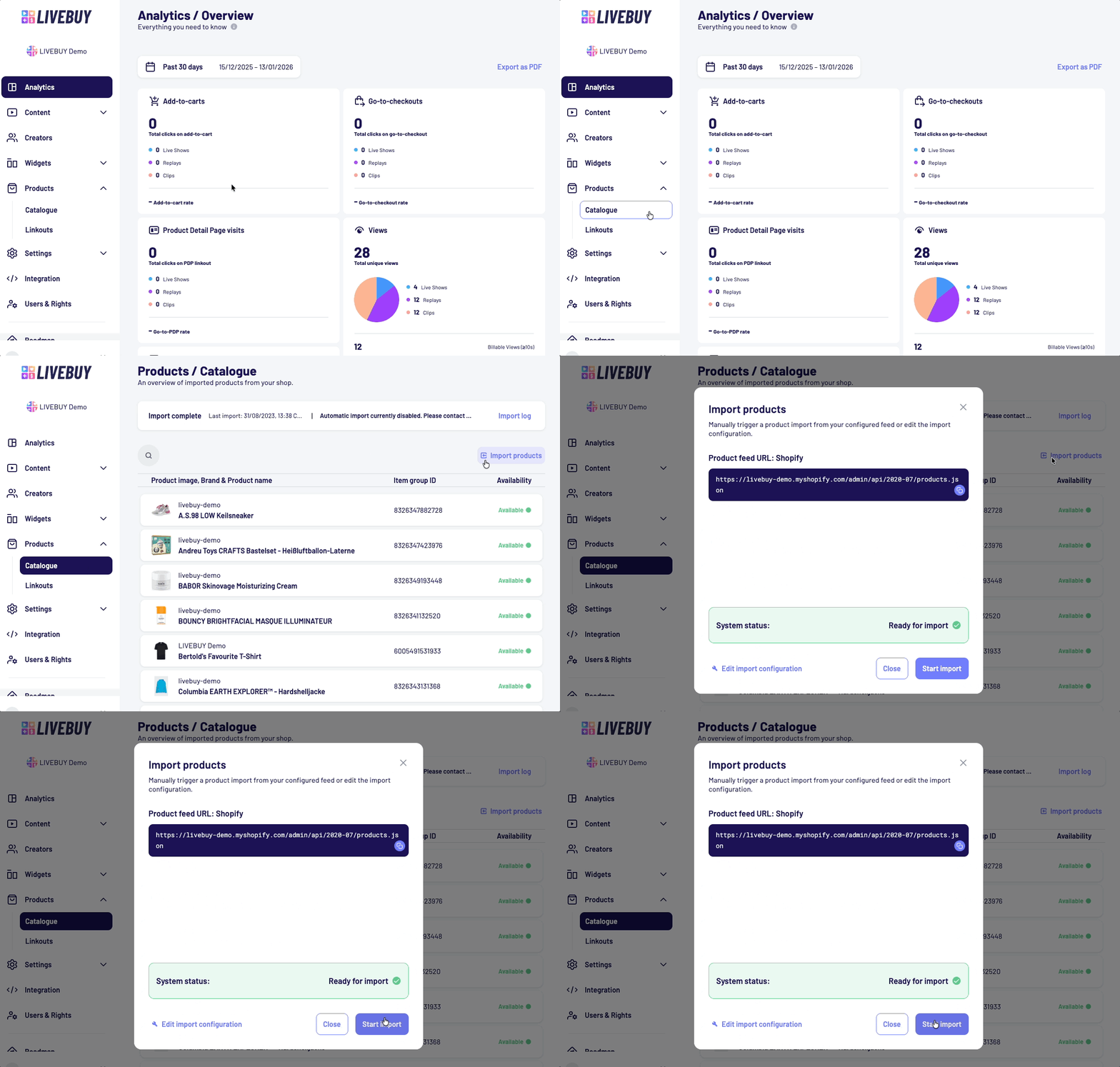
🔁 Manually Trigger Product Imports from the Dashboard
You can now manually trigger a product import directly from the Dashboard. This gives you more control to keep product data inside LIVEBUY up to date when new products are added or existing product data changes in your product feed, without having to wait for the next scheduled sync.
📦 Product Import Configuration Wizard
For newly set up shops that don’t have a product import configuration yet, the fully redesigned and improved product import configuration wizard makes it easier, safer, and more intuitive to set up your first product import.
Learn more in Catalogue Products.
📧 Improved Error Messages & Easier Support Contact
When something unexpected goes wrong, getting help is now easier than ever. Generic error toast messages now include a clickable support@livebuy.io link, which opens your email client and automatically includes technical error diagnosis information. This helps the LIVEBUY team understand what went wrong and resolve issues more quickly.
⚒️ Stability, UX & Reliability Improvements
Alongside the main features, we’ve made several behind-the-scenes improvements, including:
-
better handling of unsaved changes when navigating or closing the browser
-
improved consistency and styling in product-related forms
-
fixes for edge cases in video downloads and filenames
-
various small UX, UI, and performance improvements