
Your Creator Profile allows you to manage how you appear to viewers and how shops identify you as a creator. You can edit your profile information directly in the LIVEBUY Creator App.
Accessing Your Creator Profile
-
Open the LIVEBUY Creator App.
-
Click on your creator icon in the top-right corner.
-
Select Edit profile.
When editing your profile, all mandatory fields marked with an asterisk (*) must be completed: nickname, bio, name, and fallback picture.
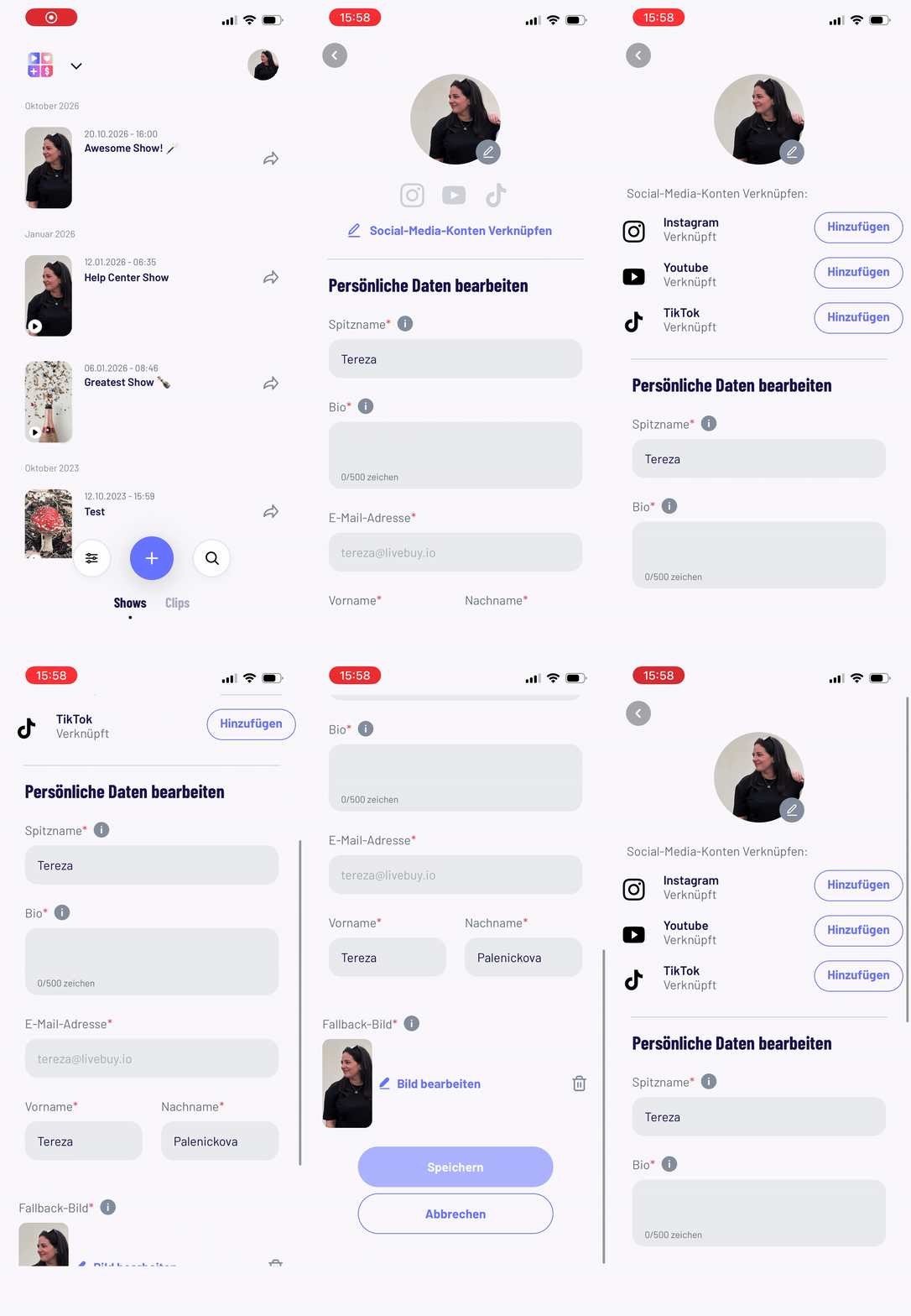
Connecting Social Media Accounts
You can link your creator profile to your social media accounts:
-
Supported platforms: Instagram, YouTube, TikTok
-
Click Connect social media accounts
-
Add your profile links in the fields marked with the corresponding social media icons
These links are used when creator profiles are enabled in a shop.
Profile and Fallback Pictures
-
Upload or change your profile picture
-
Upload or change your fallback picture
The fallback picture is displayed for planned shows if no show cover image is provided.
Recommended file size: up to 10 MB
Editing Your Creator Nickname
-
Your nickname is your stage name and is displayed across all your uploaded and streamed content.
-
Creator nicknames must be unique across the entire LIVEBUY platform.
-
If a nickname is already used in another shop, it cannot be reused.
Adding a Bio
-
Add a bio of up to 500 characters to tell viewers more about yourself.
-
The bio is shown only in shops that use creator profiles.
-
If a shop you create content for does not work with creator profiles, your bio is not displayed publicly.
Personal Information
-
You need add or update your name, which is not shown publicly and is used only for collaboration with shops.
-
Your email address cannot be changed in the app.
-
If your email address changes, please contact the LIVEBUY Support Team to update it in the system.
-
Saving Your Changes
Make sure to click Save before leaving your profile to ensure all changes are applied.