
Create & upload a clip with the Creator app
-
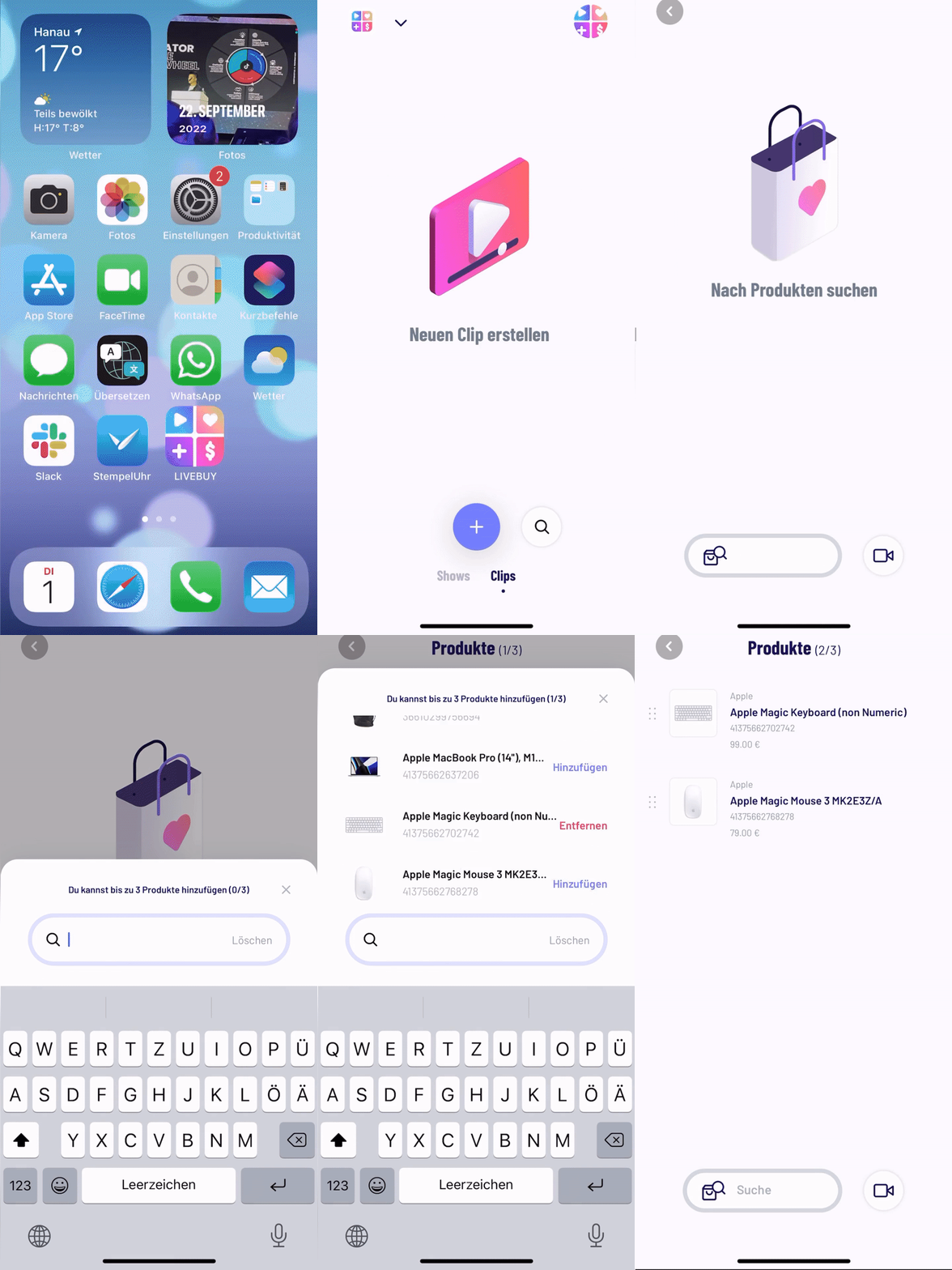
Open the creator app & login
-
Select the shop in case you are a creator in multiple shops
-
Click on the "Clips" section
-
Click on the "+" button
-
Select three products from your catalogue
Note: As a Beta feature test, it's possible to add clips with up to ten products. Get in touch with us to enable it for your shop.
-
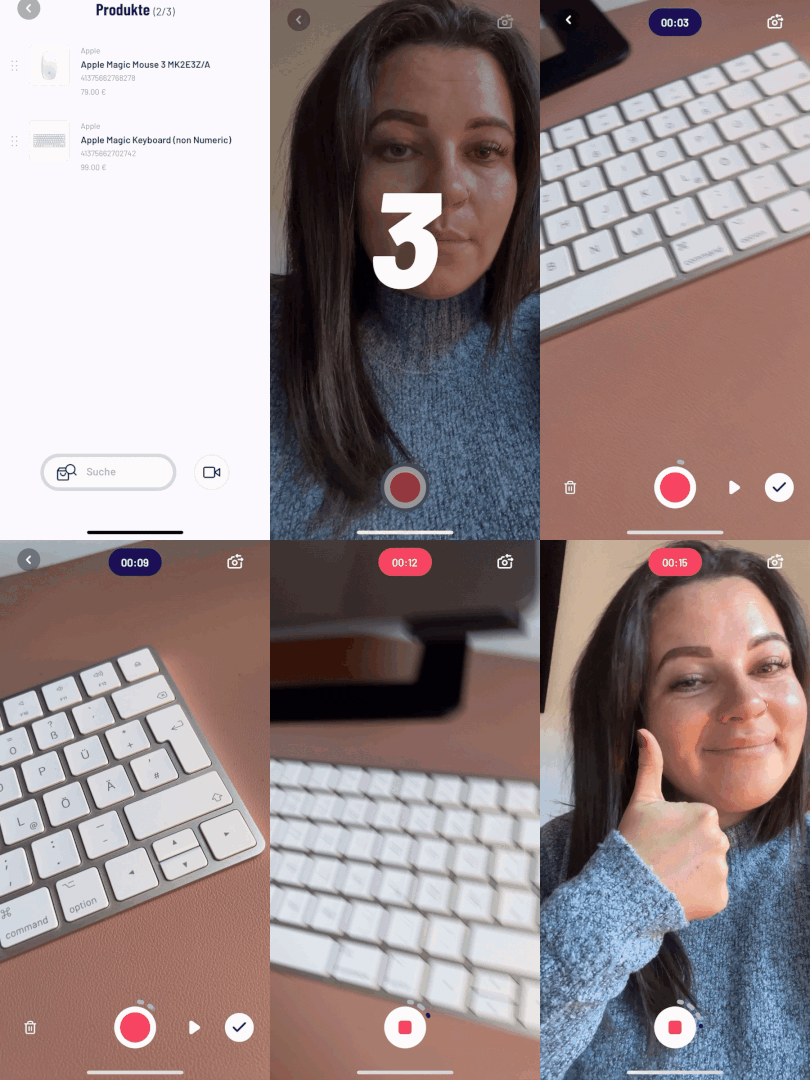
create your clip from different perspectives by using the record/stop button
-
Check out the preview with the "play" button
-
Confirm by clicking on the "checkmark" button
-
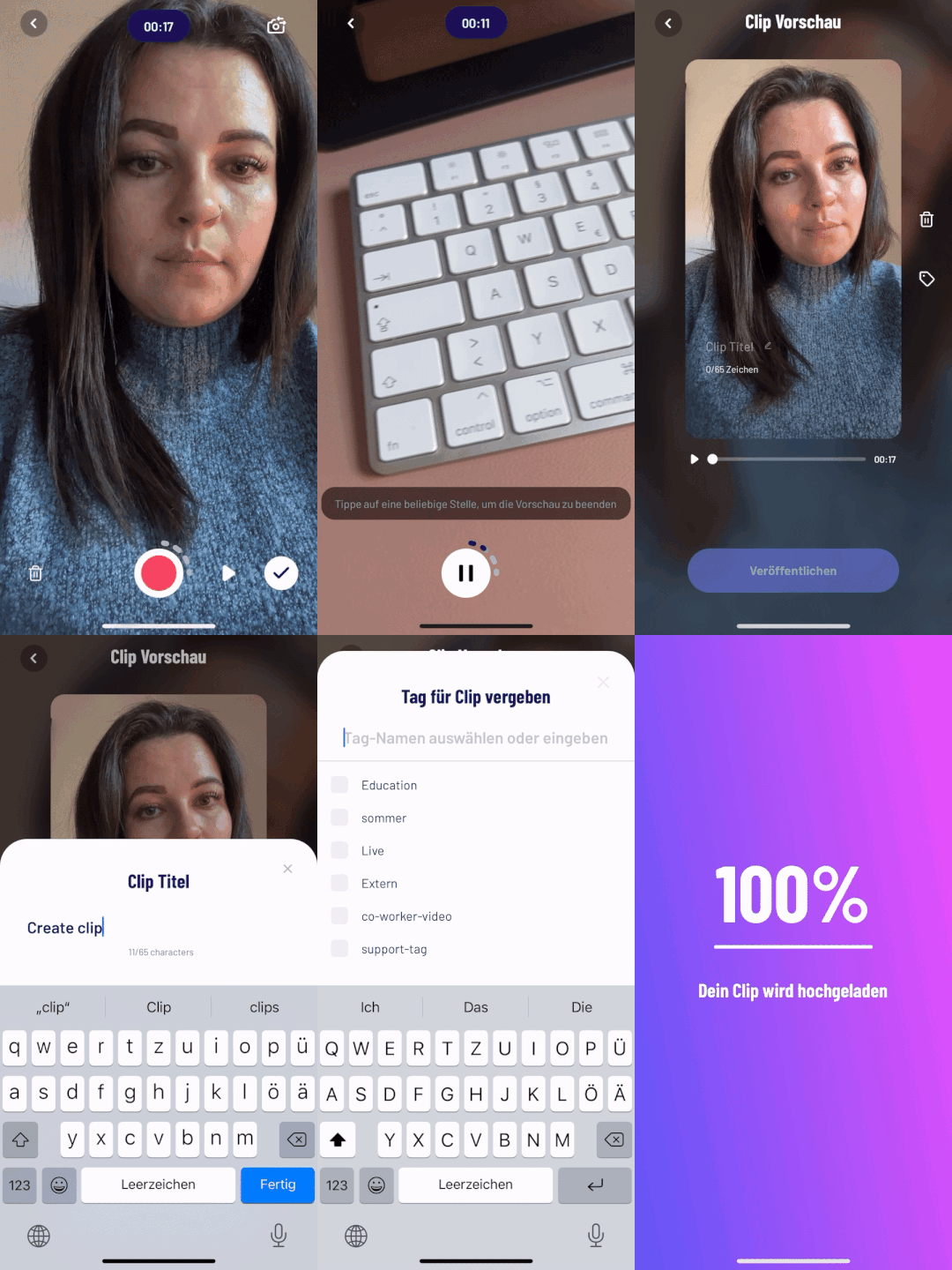
name your clip
-
select tags
-
Click on "Publish"
Upload a pre-recorded video as a clip with the creator app
-
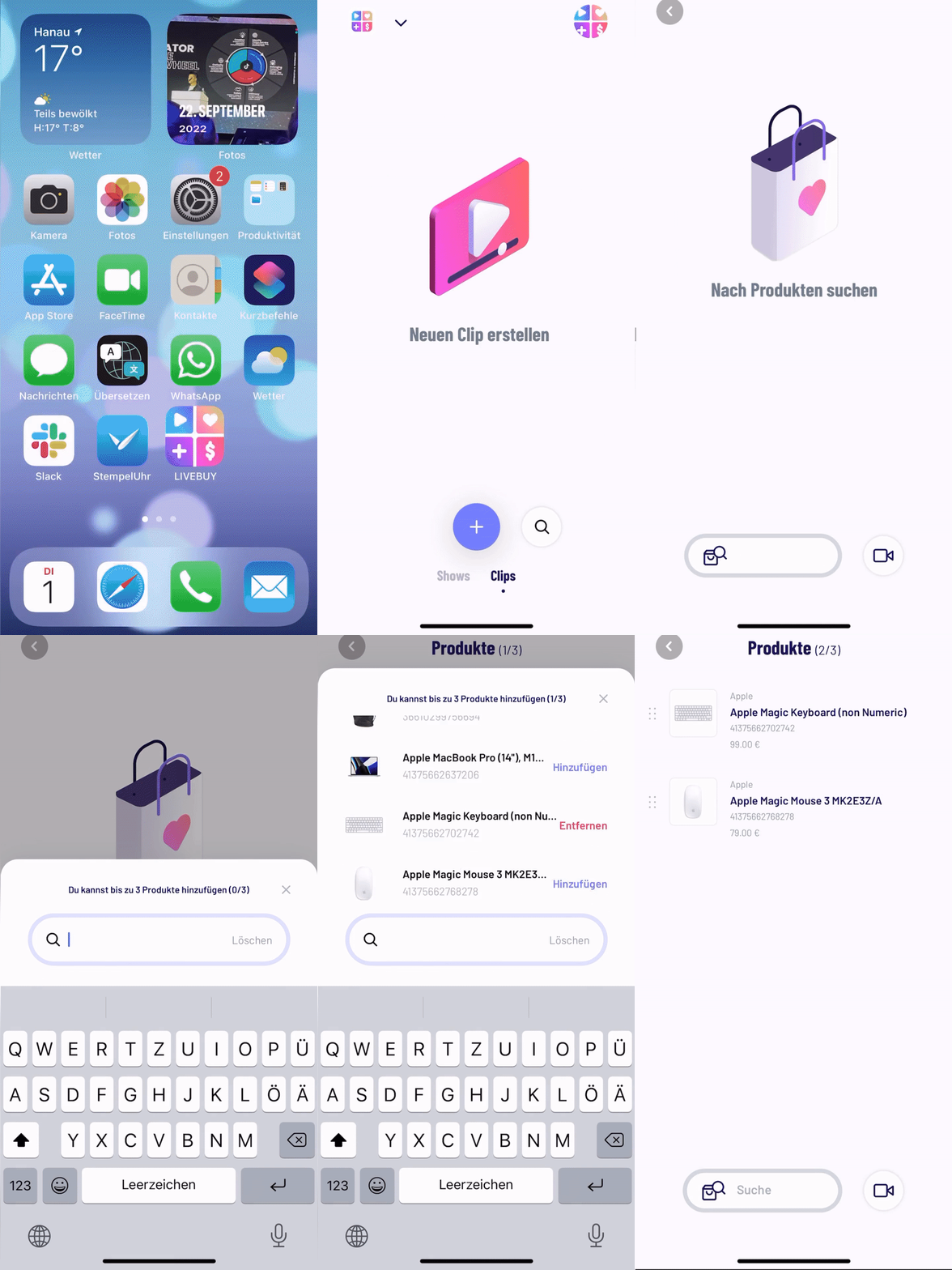
Open the creator app & login
-
Select the shop in case you are a creator in multiple shops
-
Click on the "Clips" section
-
Click on the "+" button
-
Select up to 3 products from your catalogue
Note: As a Beta feature test, it's possible to add clips with up to ten products. Get in touch with us to enable it for your shop.
-
Click on the "camera" button
-
Click on the "Gallery" button
-
Select your video
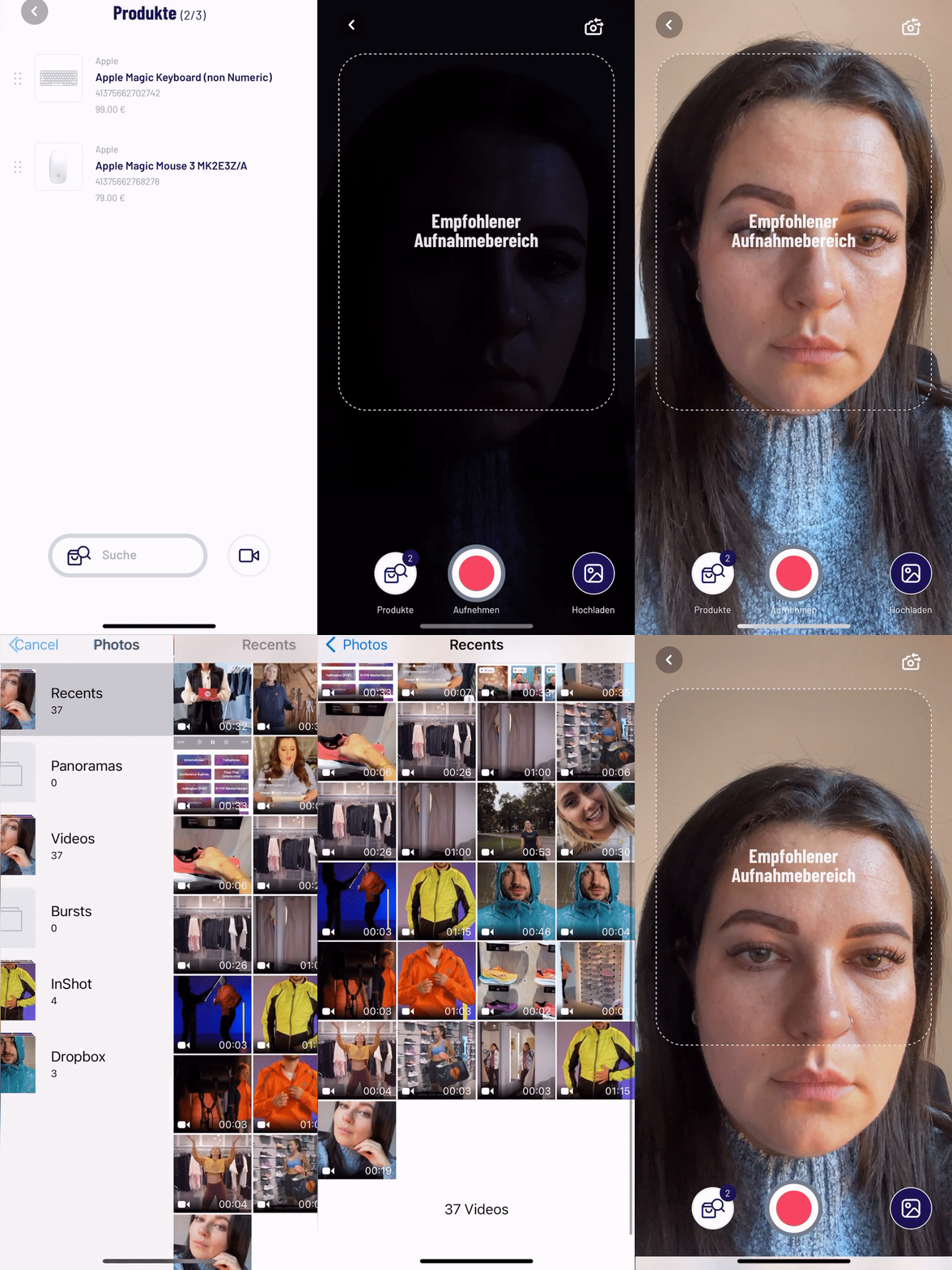
-
Check out the preview and confirm by clicking on the "checkmark" button
-
name your clip
-
select tags
-
Click on "Publish"
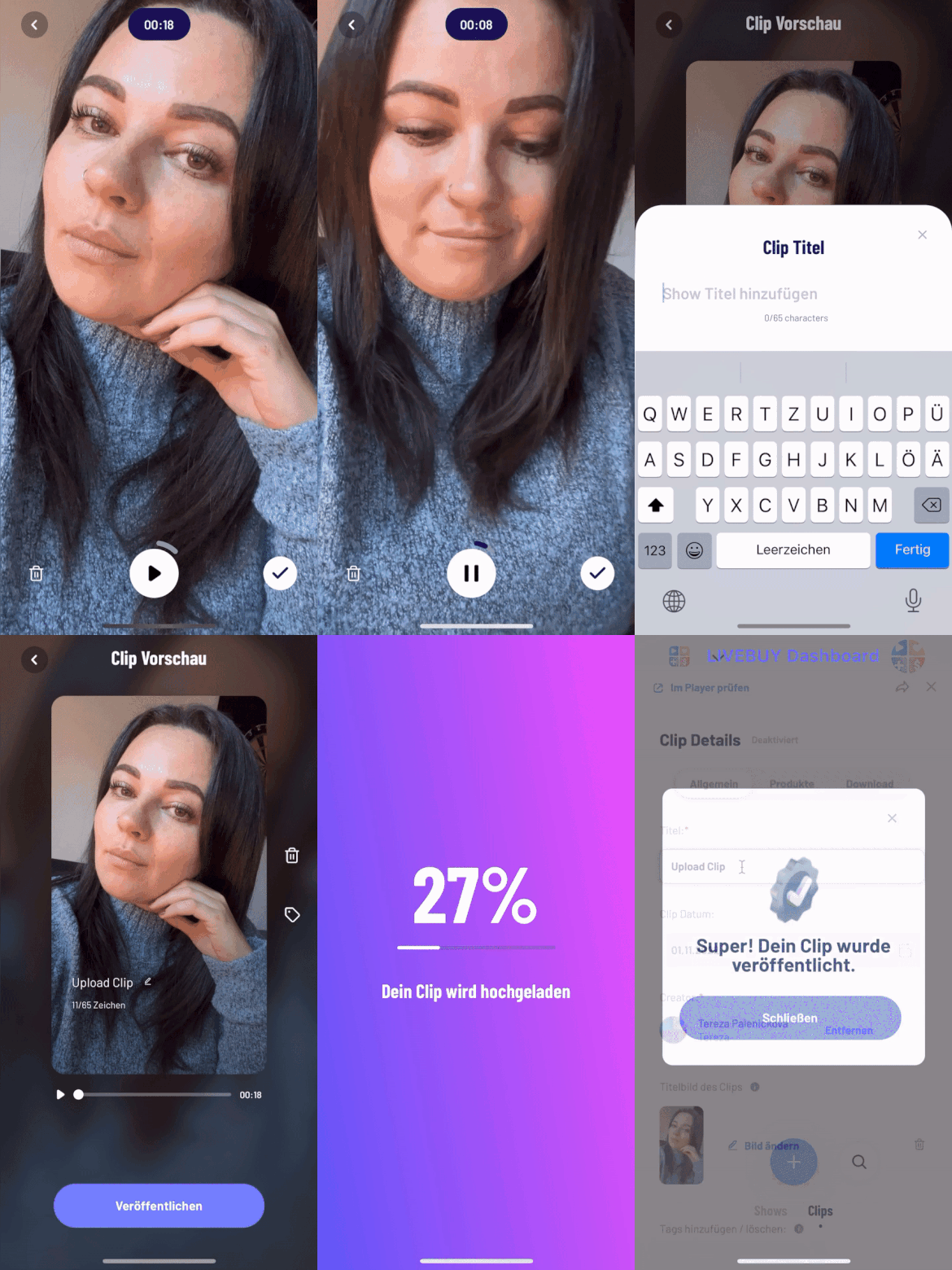
After uploading your clip you can edit the show title, thumbnail, tags, products and visibility in the dashboard at any time.
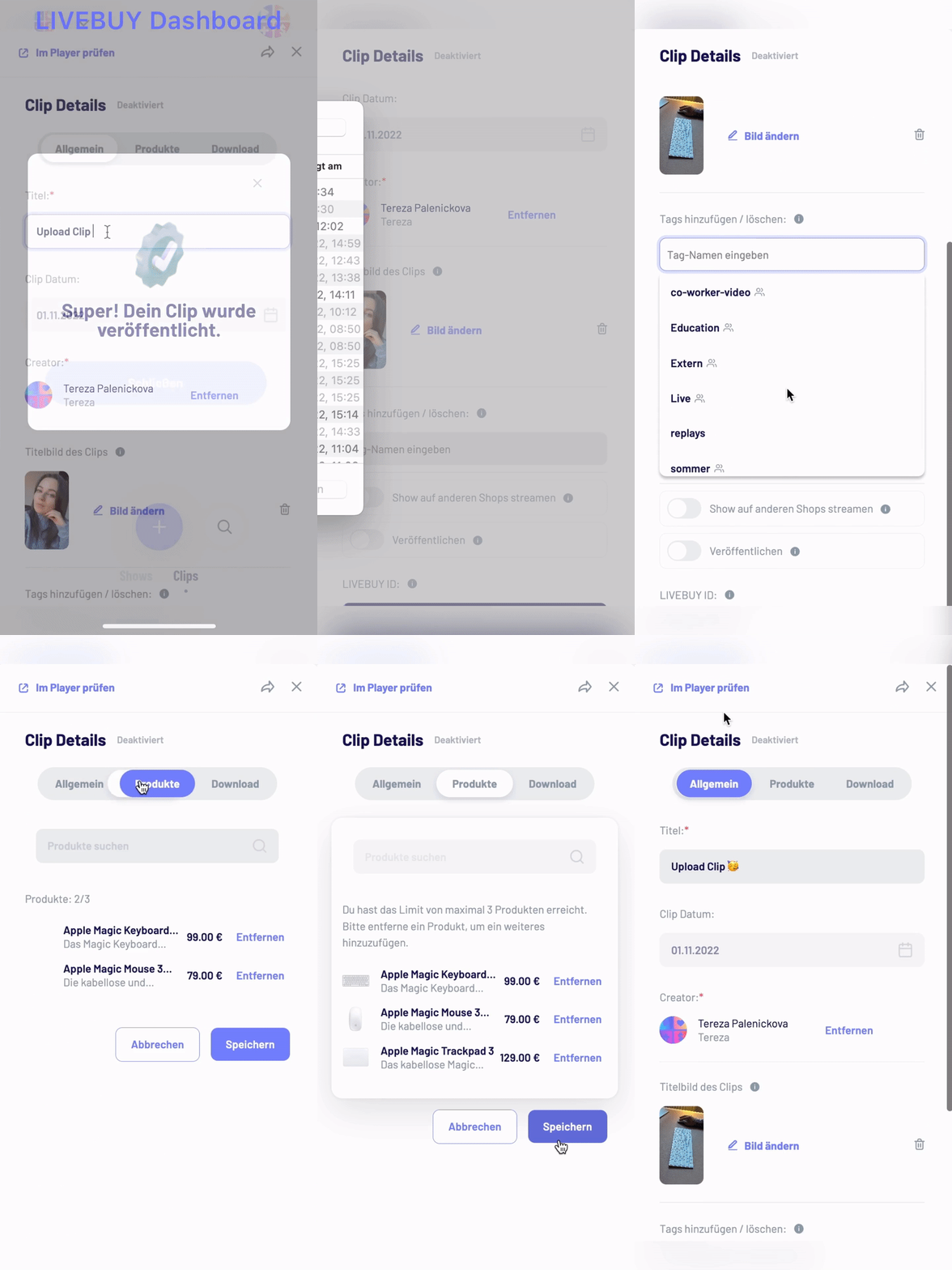
‼️ Clip uploads may fail if they do not meet the required minimum resolution or use an incorrect aspect ratio.
Please ensure that your clip:
-
Has a minimum resolution of 540 × 960
-
Uses the 9:16 aspect ratio
Clips that do not meet these requirements cannot be uploaded successfully.